How To Cure Infection in 7 Days to Die
How To Cure Infection in 7 Days to Die
In this guide, we’ll walk you through the process of cooking meat in 7 Days to Die. Cooking meat is an essential survival skill that will help you cure infections and stay healthy in the game. Follow these step-by-step instructions to master the cooking mechanic.
Building a Campfire
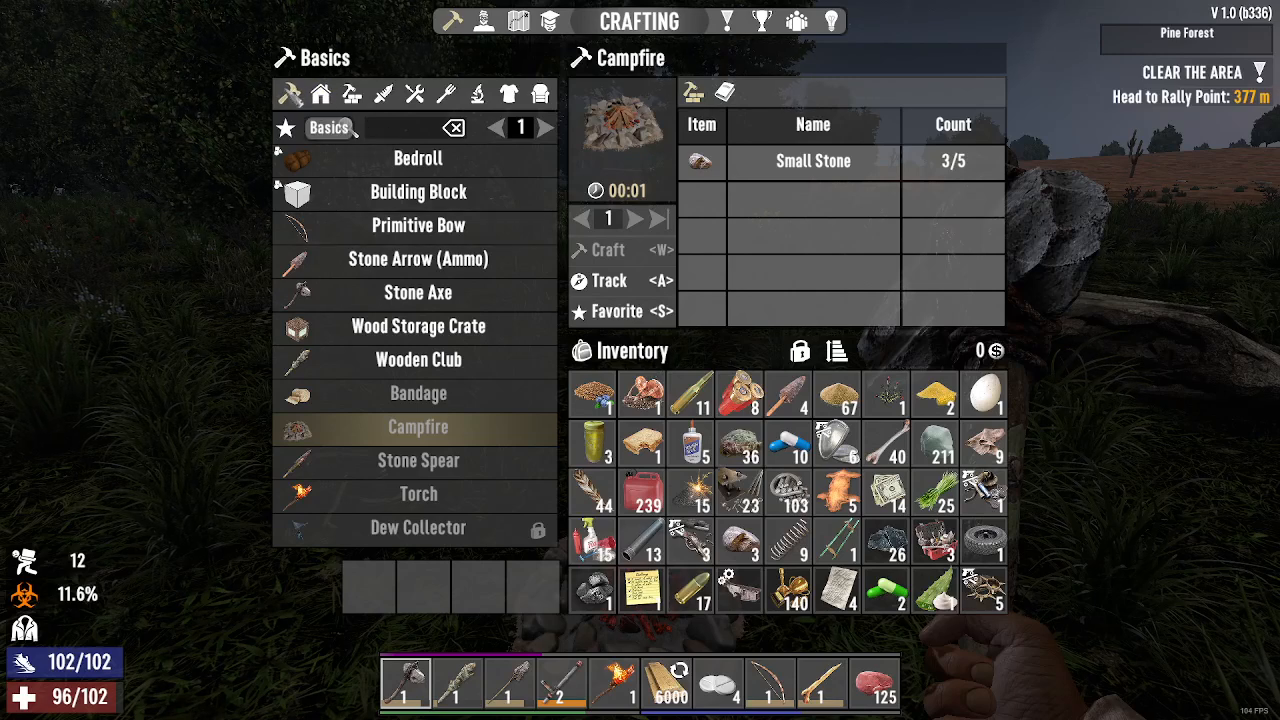
The first step to cooking meat is building a campfire. Start by pressing Tab to open your crafting menu and navigate to the Basics section. Here you’ll find the campfire recipe, which costs five small stones to craft. Once you’ve crafted it, place the campfire in your desired location using right click.
Adding Fuel to Your Campfire
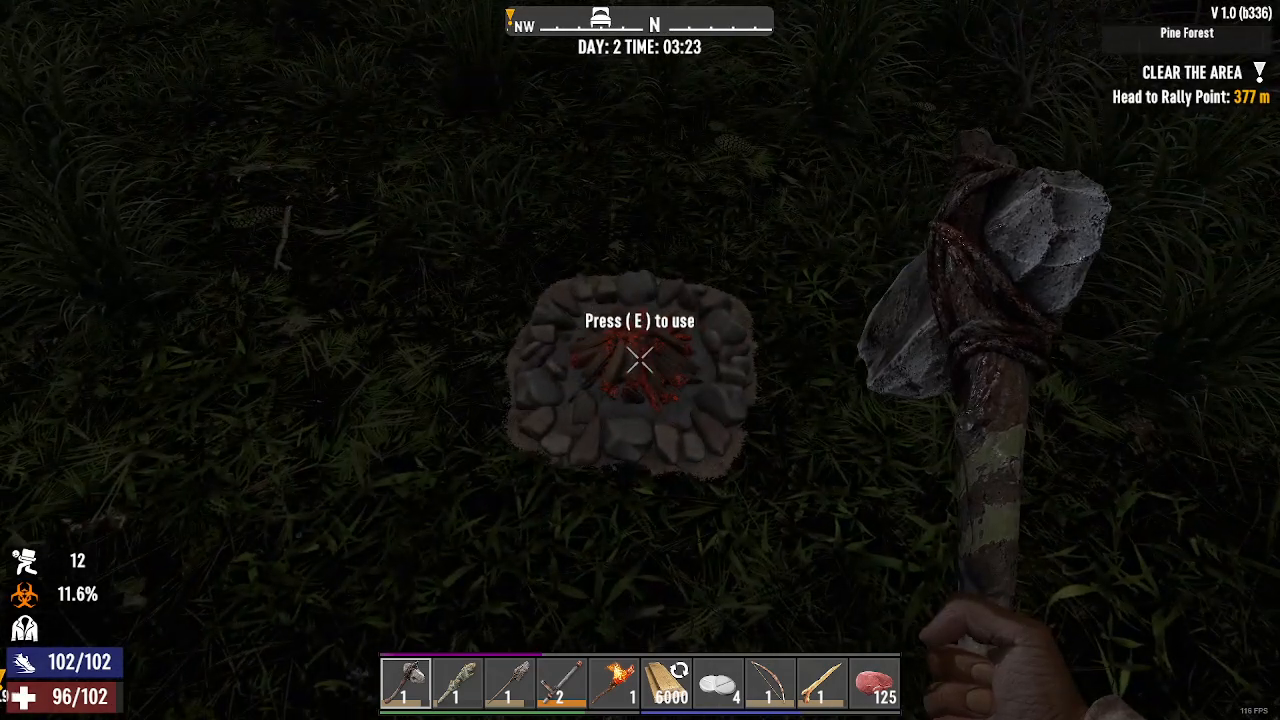
After placing your campfire, you’ll need to add fuel to get it burning. Press E to interact with the campfire. Take whatever amount of wood you have in your inventory and add it to the campfire. This will provide the heat necessary for cooking your meat.
Cooking Your Meat
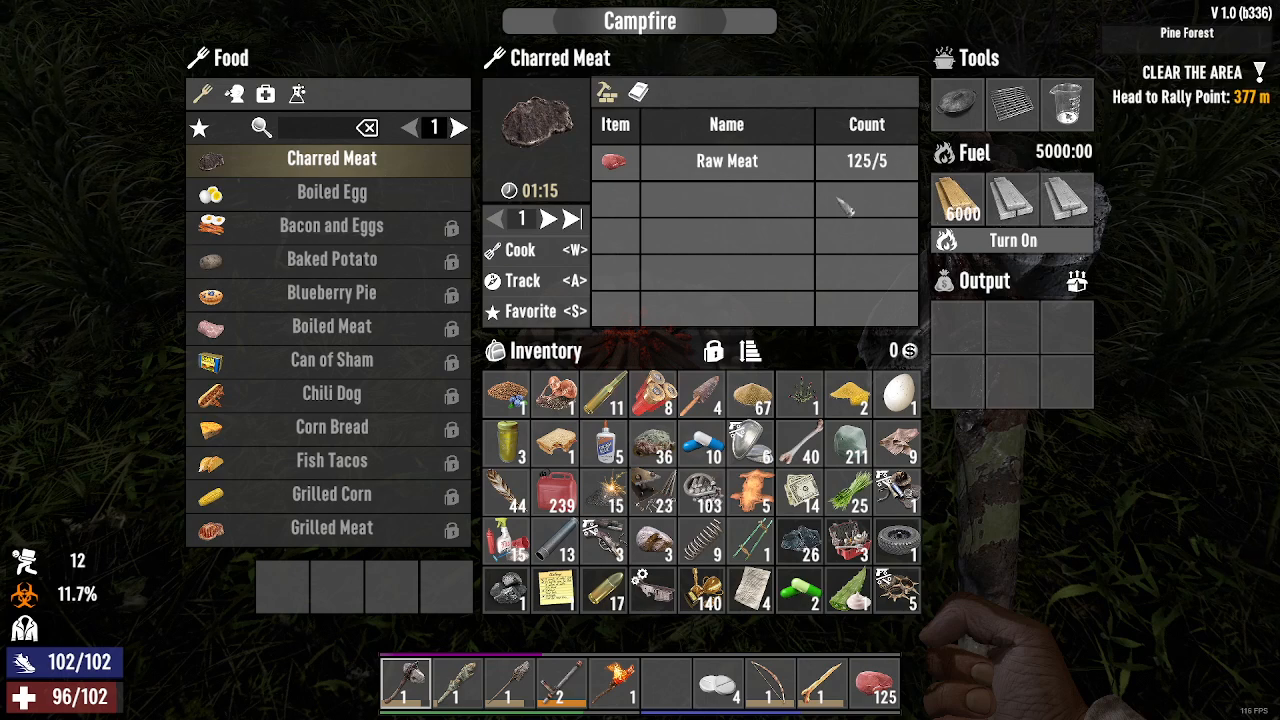
To cook meat, you need to have a stack of five meat pieces ready in your inventory. With the campfire active and fueled, press W to add the meat to the cooking station. The game will automatically transfer five meat from your inventory into the campfire. After a considerable amount of time, your cooked charred meat will appear in the output slot, ready for consumption.
Summary
Cooking meat in 7 Days to Die is straightforward once you understand the mechanics. Build a campfire using five small stones, add wood fuel, and cook your meat in stacks of five by pressing W. Your charred meat will soon be ready to cure infections and restore your health. Practice this technique regularly to ensure you always have cooked food available during your survival journey.
— Want to Support? —
If you would like to help us continue making these guides – please consider joining our patreon here – https://www.patreon.com/c/JaviHeals
Alternatively – you can join our discord here – https://discord.gg/zD7Gjt6MHF