







How To Fix Quick Chat In Among Us
How To Fix Quick Chat In Among Us
Quick chat issues in Among Us can be frustrating, but the fix is simple and straightforward. This guide walks you through the exact steps to resolve any quick chat problems using the in-game filters menu. Follow along to get your chat functionality working perfectly again.
Accessing the Filters Menu
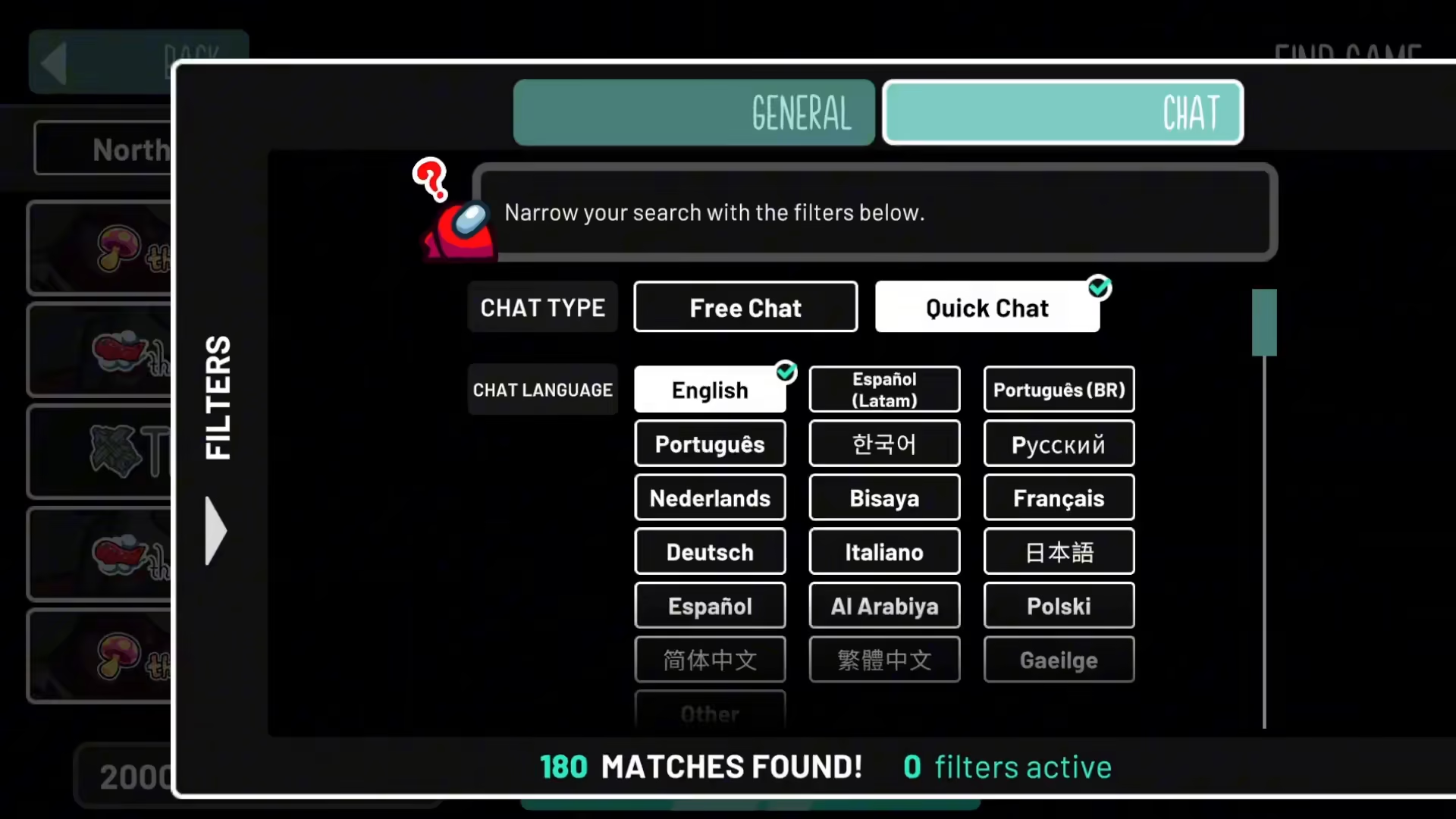
To begin fixing your quick chat, you need to navigate to the filters section in Among Us. This is where all your chat settings are located.
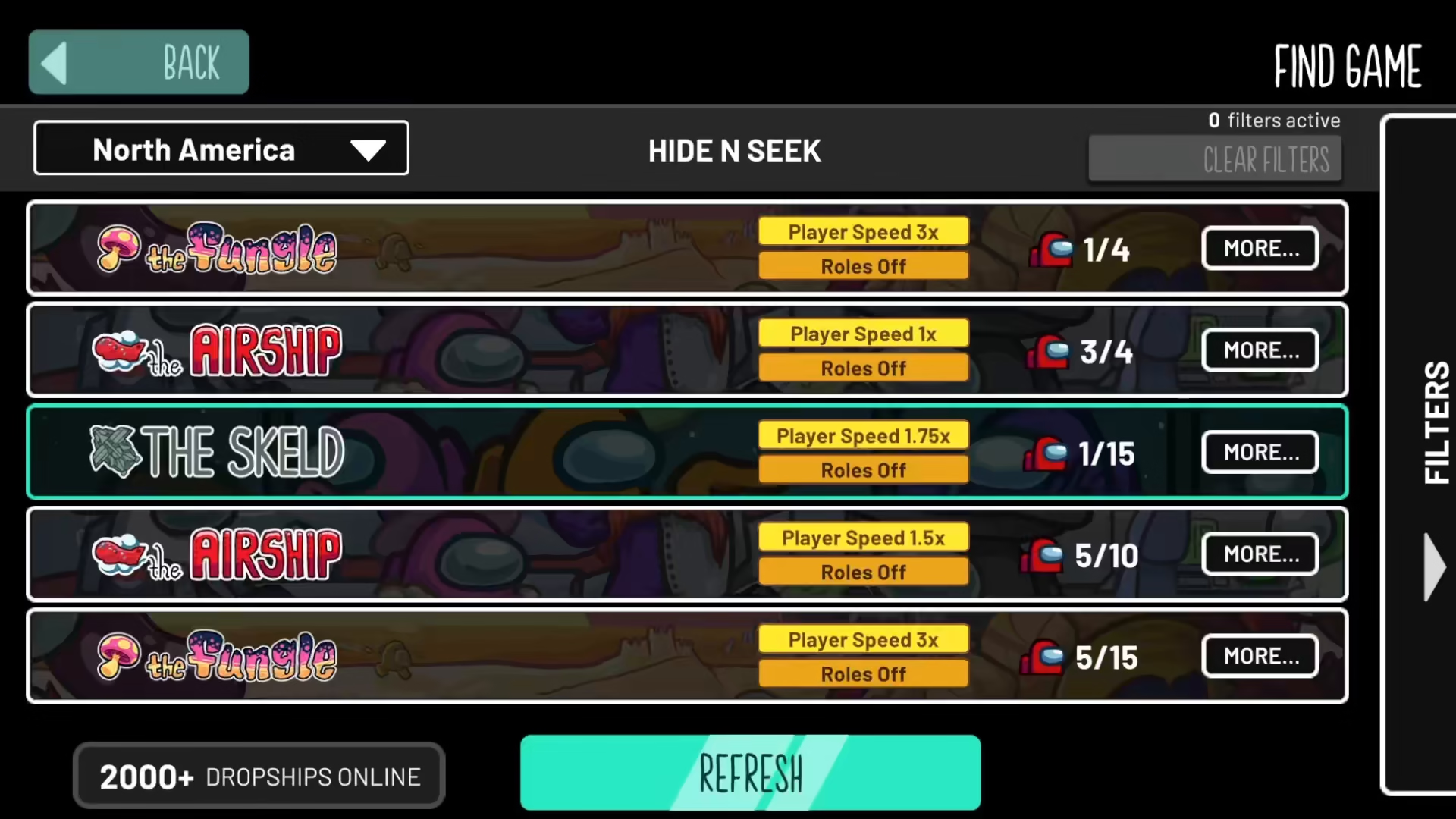
Finding the Chat Option
Once you’re in the filters menu, you’ll see a chat option available. This is the control panel for managing your chat preferences and settings.
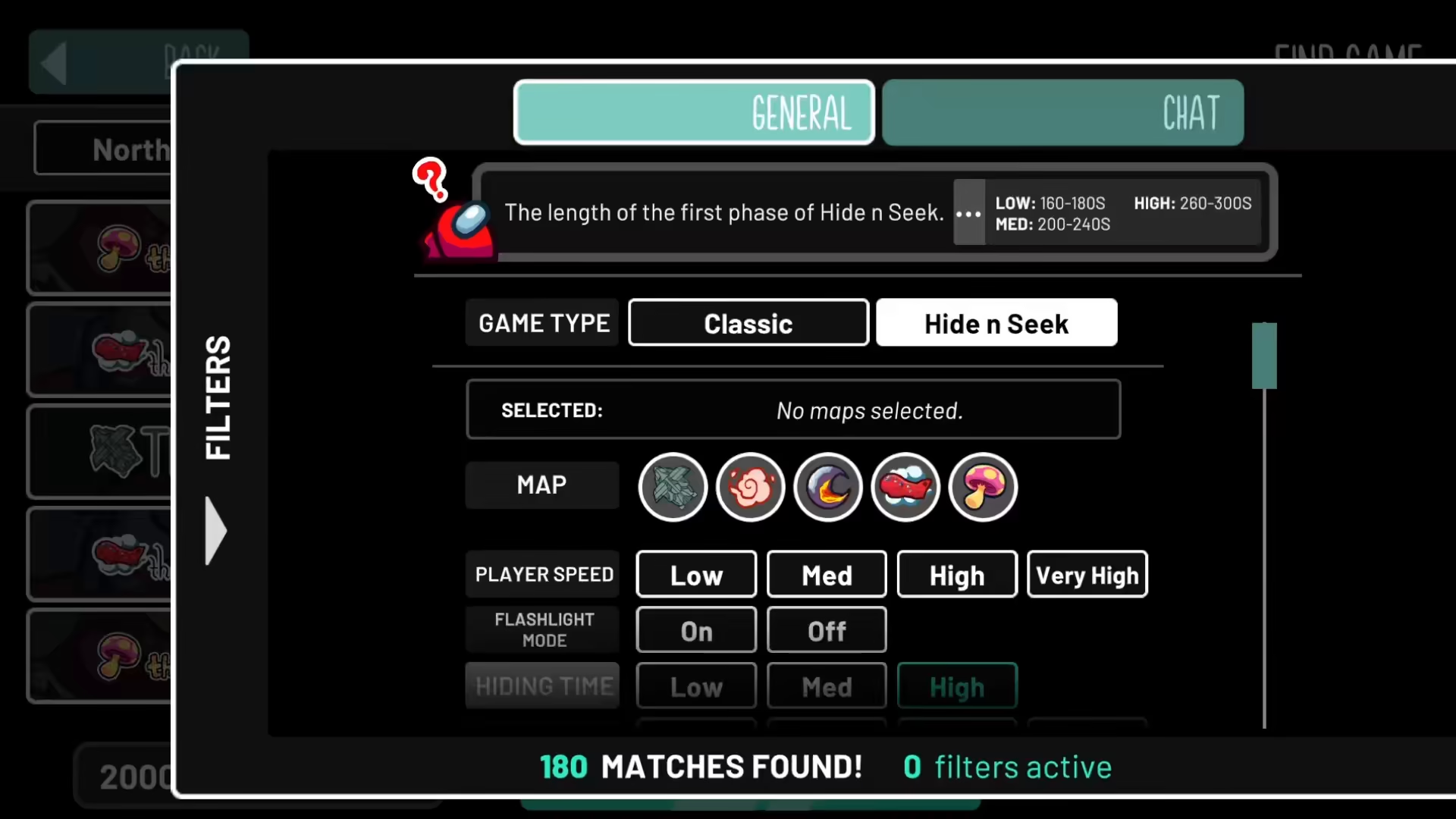
Choosing Between Fixed Chat and Quick Chat
Within the chat option, you have the ability to choose between two settings: fixed chat and quick chat. Select the option that best suits your gameplay preferences.
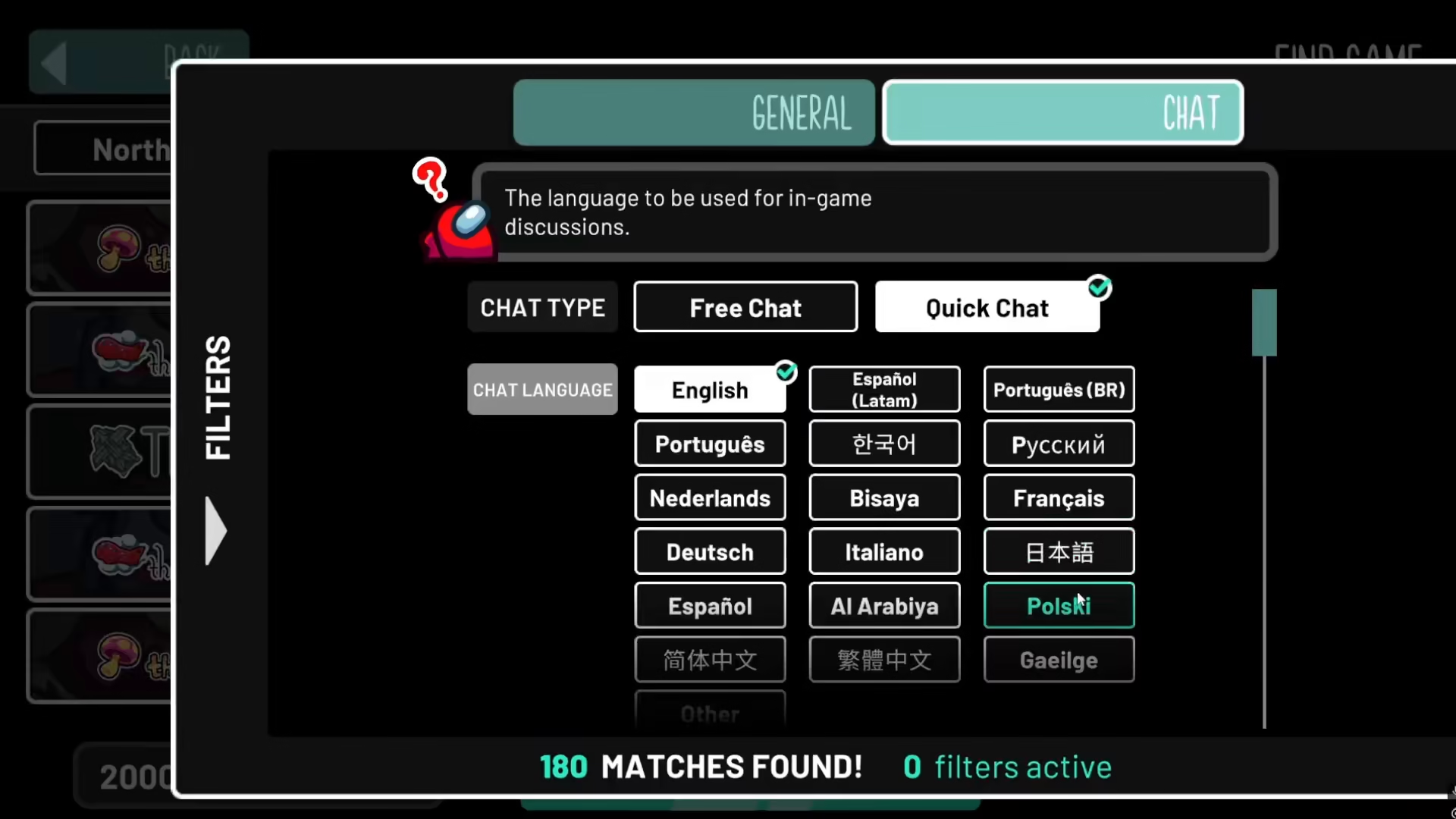
Enabling Free Chat to Resolve Issues
Press on the free chat option to apply the fix. This action will resolve all the quick chat issues you’ve been experiencing in Among Us.
Summary
Fixing quick chat in Among Us is a quick three-step process: navigate to filters, select the chat option, and enable free chat. This simple adjustment will eliminate any chat-related problems and get you back to enjoying the game with full communication functionality.
Want to Support?
If you would like to help us continue making these guides – please consider joining our patreon here – https://www.patreon.com/c/JaviHeals
Alternatively – you can join our discord here – https://discord.gg/zD7Gjt6MHF



