








How To Send Friend Requests In Among Us
How To Send Friend Requests In Among Us
Among Us makes it easy to connect with other players through its friend system. In this guide, we’ll walk you through the simple steps to send friend requests and manage your friends list so you can easily play together with people you know.
Accessing the Friends Menu
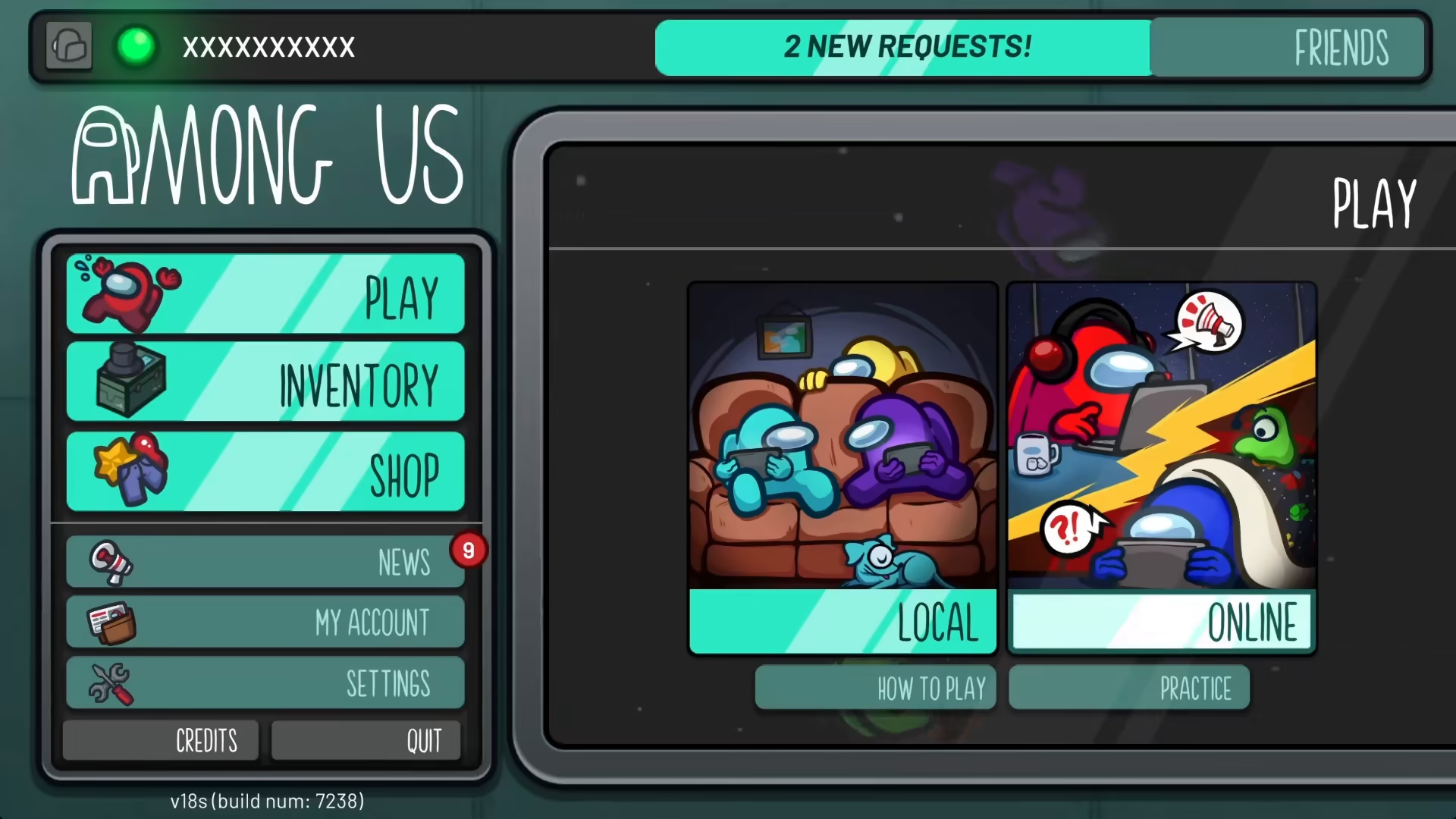
To get started, navigate to the Friends section in Among Us. Once you click on this option, a window will pop up displaying your current friends and pending requests.
Sending a Friend Request
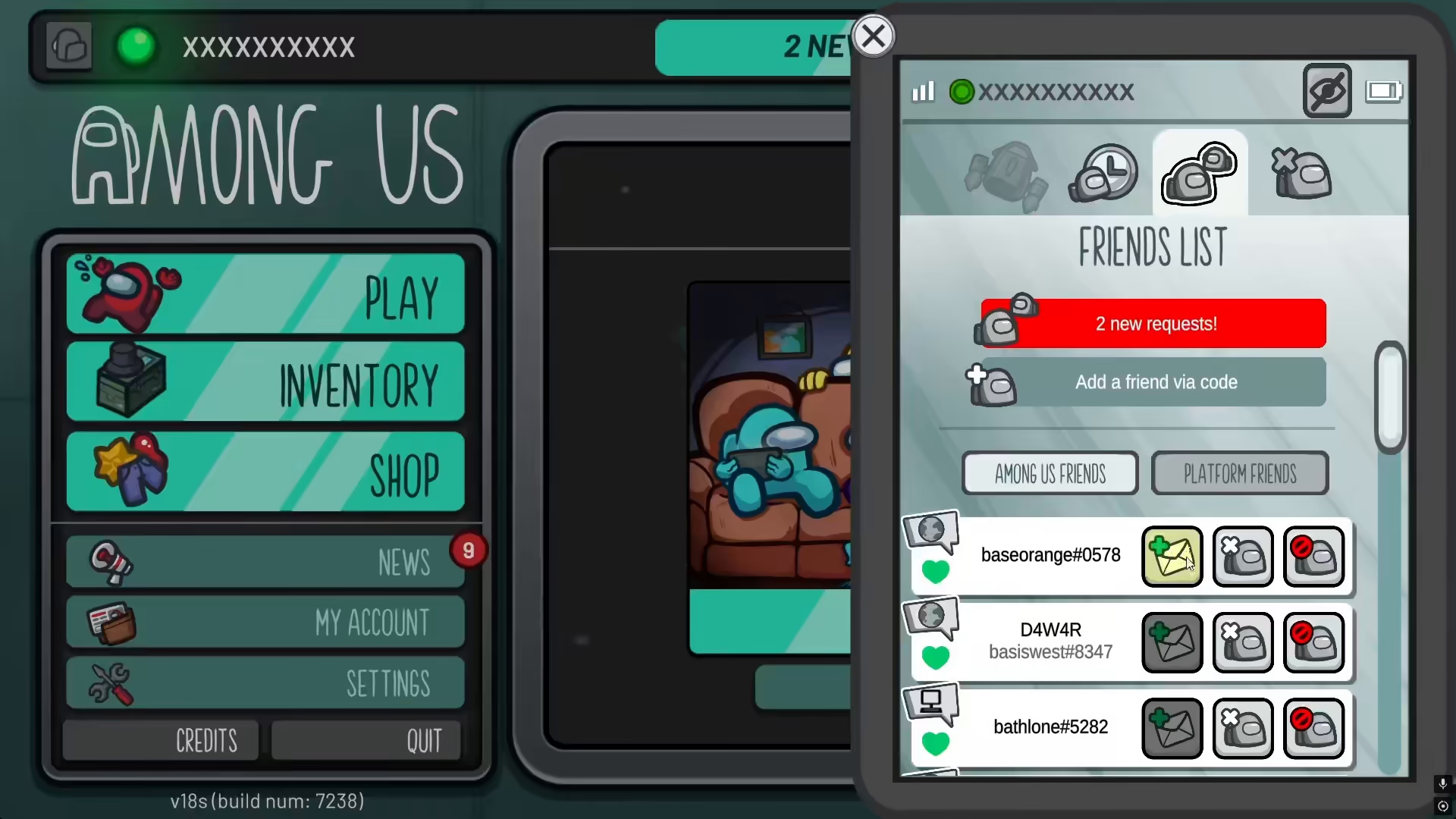
In the Friends window, you’ll see an add button. Simply click this button to send a friend request to another player. This straightforward process allows you to quickly expand your friends list.
Accepting Friend Requests
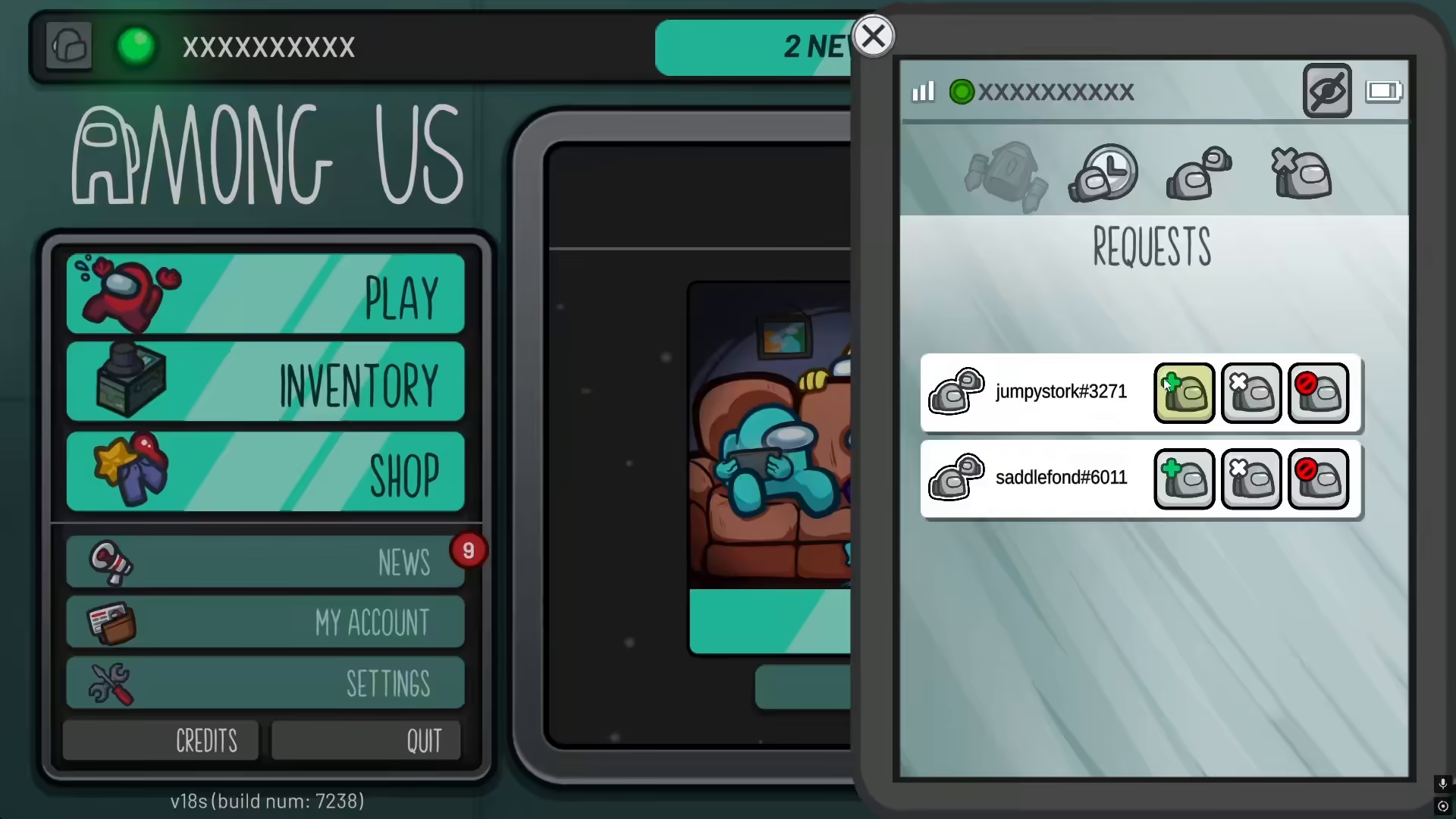
When someone sends you a friend request, you can accept it from the Friends window. Look for the plus icon next to pending requests and click it to add them as your friend. This will confirm the connection and allow you to play together.
Summary
Adding friends in Among Us is a quick and intuitive process. Whether you’re sending requests or accepting incoming ones, the Friends window gives you all the tools you need to build your player network and enjoy the game with your community.
— Want to Support? —
If you would like to help us continue making these guides – please consider joining our patreon here – https://www.patreon.com/c/JaviHeals
Alternatively – you can join our discord here – https://discord.gg/zD7Gjt6MHF



