








How To Show Color Under Name In Among Us
How To Show Color Under Name In Among Us
Among Us includes a helpful accessibility feature that displays player colors directly under their names in the game. This is particularly useful for colorblind players or anyone who wants a clearer way to identify teammates and opponents. In this guide, we’ll walk you through the simple steps to enable this feature.
Accessing the Settings Menu
To get started, you’ll need to open the settings menu in Among Us. This is where all the game’s customization options are located, including the colorblind accessibility features.

Enabling Colorblind Text
Once you’re in the settings, locate the option labeled “Colorblind Text” which is set to “Off” by default. Simply toggle this option to turn it on.

What Happens When You Enable It
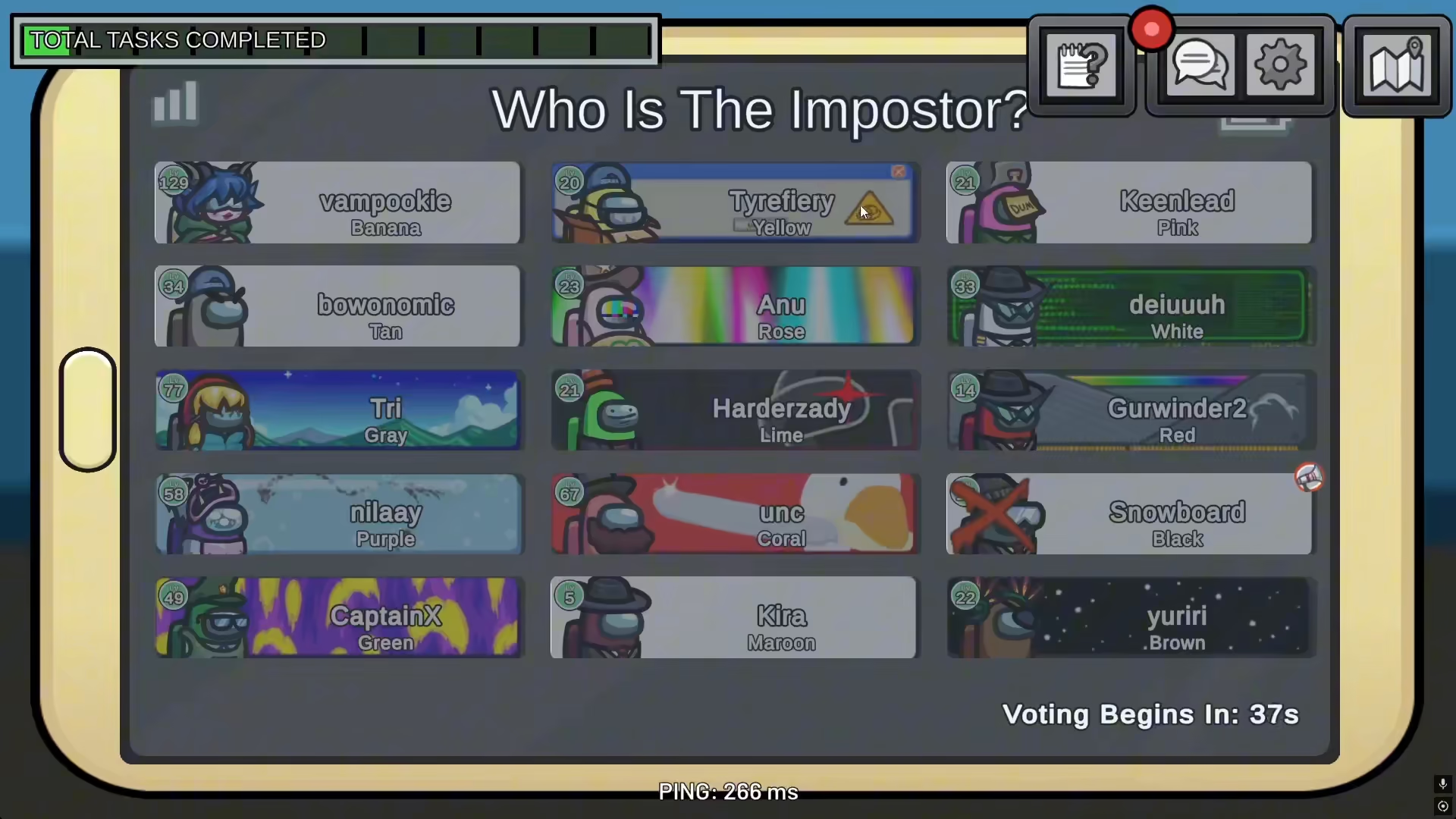
After activating the Colorblind Text feature, the game will display the color name of each player directly beneath their username. For example, if a player has the yellow color, their color name will appear below their name in the game. This makes it much easier to quickly identify which player you’re referring to during discussions and gameplay.
Summary
Showing player colors under names in Among Us is straightforward and requires just one simple adjustment. Navigate to your game settings, find the “Colorblind Text” option, and toggle it on. This accessibility feature enhances gameplay for all players by making color identification clearer and more intuitive.
Want to Support?
If you would like to help us continue making these guides – please consider joining our patreon here – https://www.patreon.com/c/JaviHeals
Alternatively – you can join our discord here – https://discord.gg/zD7Gjt6MHF



