





How to Start Phantom Liberty in CyberPunk 2077
How to Start Phantom Liberty in Cyberpunk 2077
Ready to dive into the Phantom Liberty expansion for Cyberpunk 2077? This guide will walk you through the two main ways to begin this exciting new adventure. Whether you prefer to complete the story naturally or jump straight in with a new save, we’ve got you covered.
Method 1: Complete the Transmission Quest
The most straightforward way to start Phantom Liberty is to progress through the main story and complete the quest called Transmission. You can track this quest in your journal—look for the quest with the Phantom Liberty logo next to it.
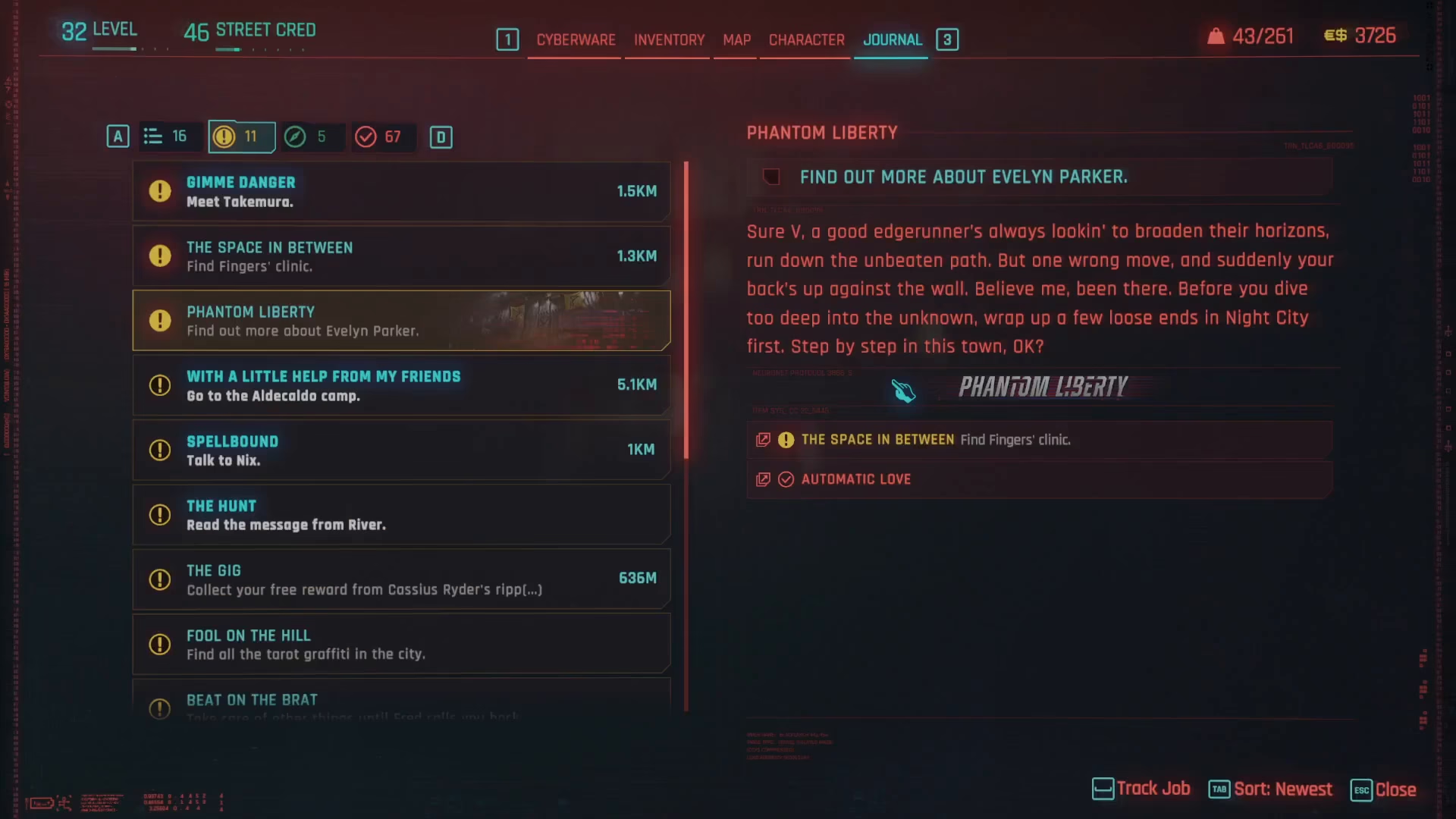
Once you finish the Transmission quest, you’ll receive a phone call from a character named Songbird. This call triggers the beginning of the Phantom Liberty storyline. Even if Songbird isn’t in your contacts list yet, she will reach out to you once the quest is complete.
Method 2: Skip Ahead with New Game
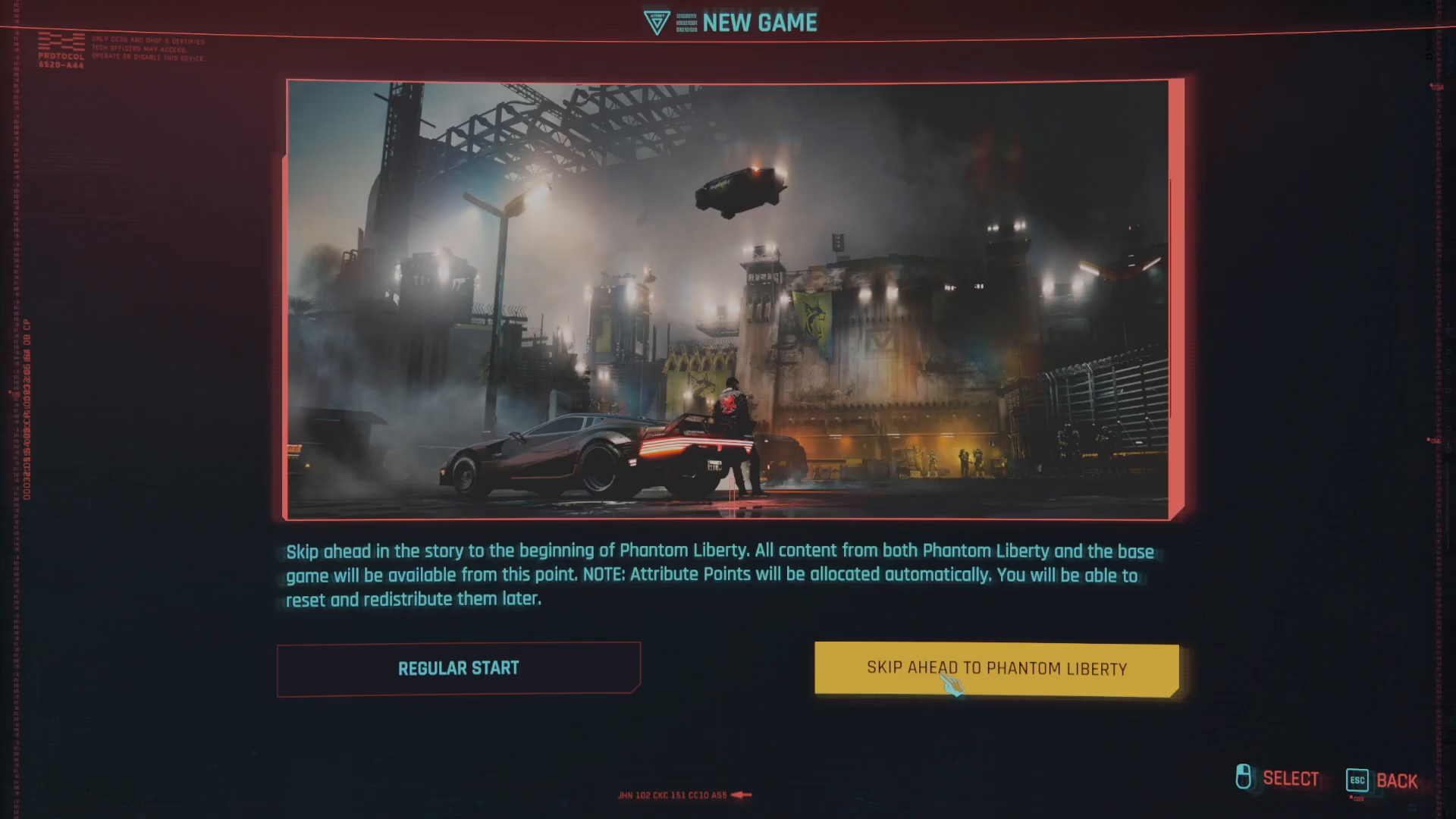
If you don’t want to wait until you’ve completed the Transmission quest, there’s an alternative option: start a new game and skip ahead directly to Phantom Liberty.

Steps to Skip Ahead:
Exit to the main menu
Select New Game
Choose the option to skip ahead to Phantom Liberty

Important Notes About Skip Ahead:
When you skip ahead to Phantom Liberty, all content from both the base game and the expansion becomes available to you immediately. However, your attribute points will be allocated automatically. The good news is that you can reset and redistribute these attribute points later if you want to customize your character build.
Summary
You now have two clear paths to start Phantom Liberty in Cyberpunk 2077. Choose the method that best suits your playstyle: either progress naturally through the story and wait for Songbird’s call after completing Transmission, or create a fresh save and jump directly into the expansion with the skip ahead feature. Either way, you’ll be ready to experience all the exciting content that Phantom Liberty has to offer.
— Want to Support? —
If you would like to help us continue making these guides – please consider joining our patreon here – https://www.patreon.com/c/JaviHeals
Alternatively – you can join our discord here – https://discord.gg/zD7Gjt6MHF