






How To Throw Grenades In Fallout 4
How To Throw Grenades In Fallout 4
Throwing grenades in Fallout 4 is a crucial combat skill that many players find confusing at first. Unlike some games where grenades are standalone items, Fallout 4 handles them differently. This guide will walk you through the exact steps needed to equip and throw grenades effectively.
Understanding Grenade Mechanics in Fallout 4
In Fallout 4, grenades are not treated as individual items that you can simply select and throw. Instead, grenades function as grenade-type weapons that must be equipped alongside your regular weapons. For example, you might equip small Molotov cocktails (which are classified as grenade-type weapons) while also having a sniper rifle equipped at the same time.
How to Equip Grenades
Start by ensuring you have a grenade-type weapon in your inventory. Once you have grenades available, equip them just as you would any other weapon. You can carry multiple weapons simultaneously, so your grenades can be equipped while you maintain your primary weapon loadout.
The Grenade Throwing Button
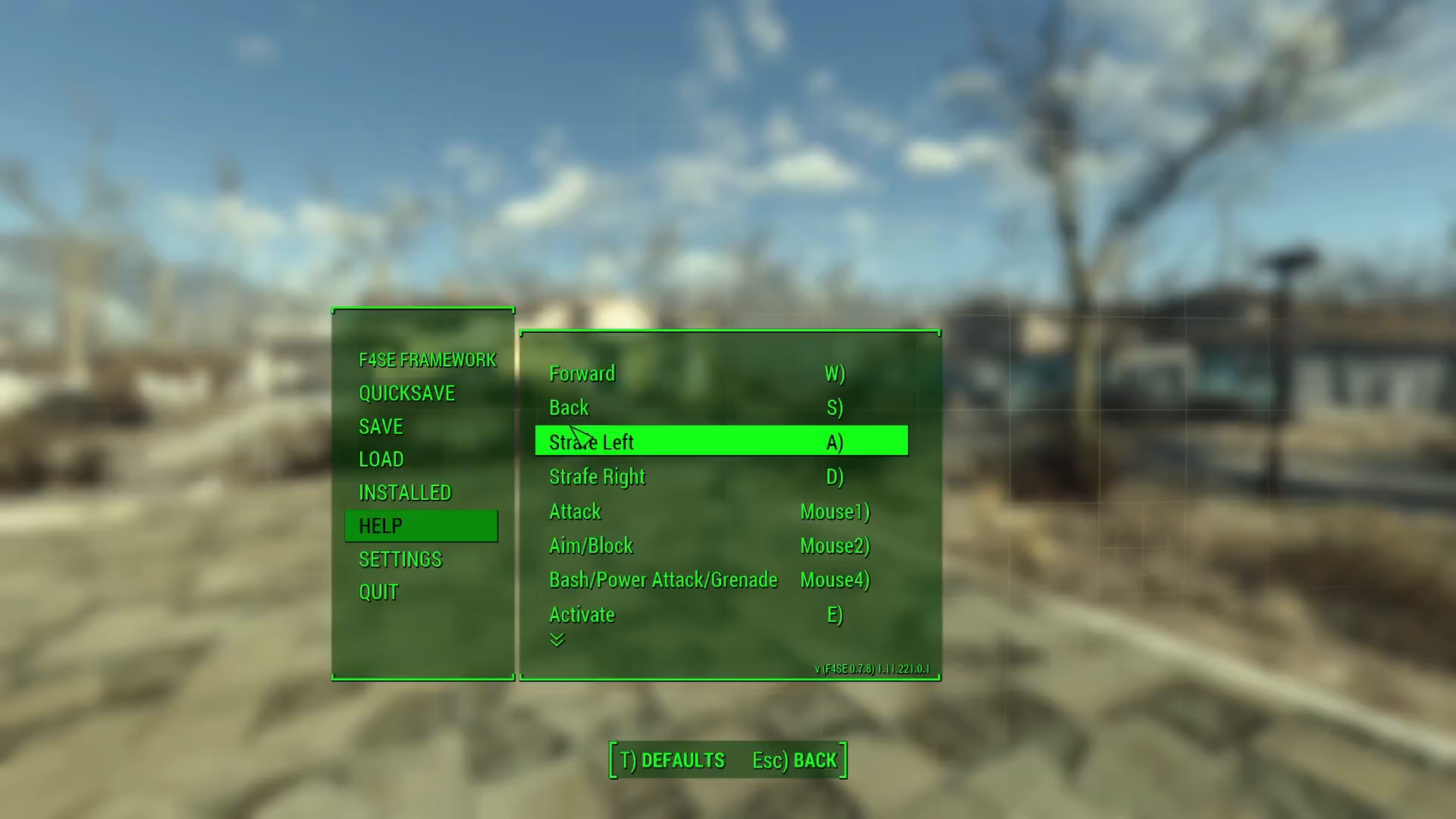
To actually throw a grenade, you need to press a specific button. By default, this button is mapped to your bash/power attack button. On PC, you can customize this control by opening the controls menu in your settings. If you prefer, you can remap this button to a different key or mouse button for easier access.
Summary
Throwing grenades in Fallout 4 is straightforward once you know the mechanics: equip a grenade-type weapon, then press your bash/power attack button to throw it. Remember that grenades in Fallout 4 work differently than in other games—they’re weapons you equip rather than standalone items. With this knowledge, you’ll be ready to incorporate grenades into your combat strategy.
— Want to Support? —
If you would like to help us continue making these guides – please consider joining our patreon here – https://www.patreon.com/c/JaviHeals
Alternatively – you can join our discord here – https://discord.gg/zD7Gjt6MHF