




How To Turn Off Fog Of War In Prison Architect
“`html
How To Turn Off Fog Of War In Prison Architect
Fog of War can sometimes obscure your view when building and managing your prison in Prison Architect. Whether you’re starting a new prison or already in the middle of a run, this guide will show you exactly how to disable Fog of War to get a clearer view of your entire facility.
Disabling Fog Of War When Creating A New Prison
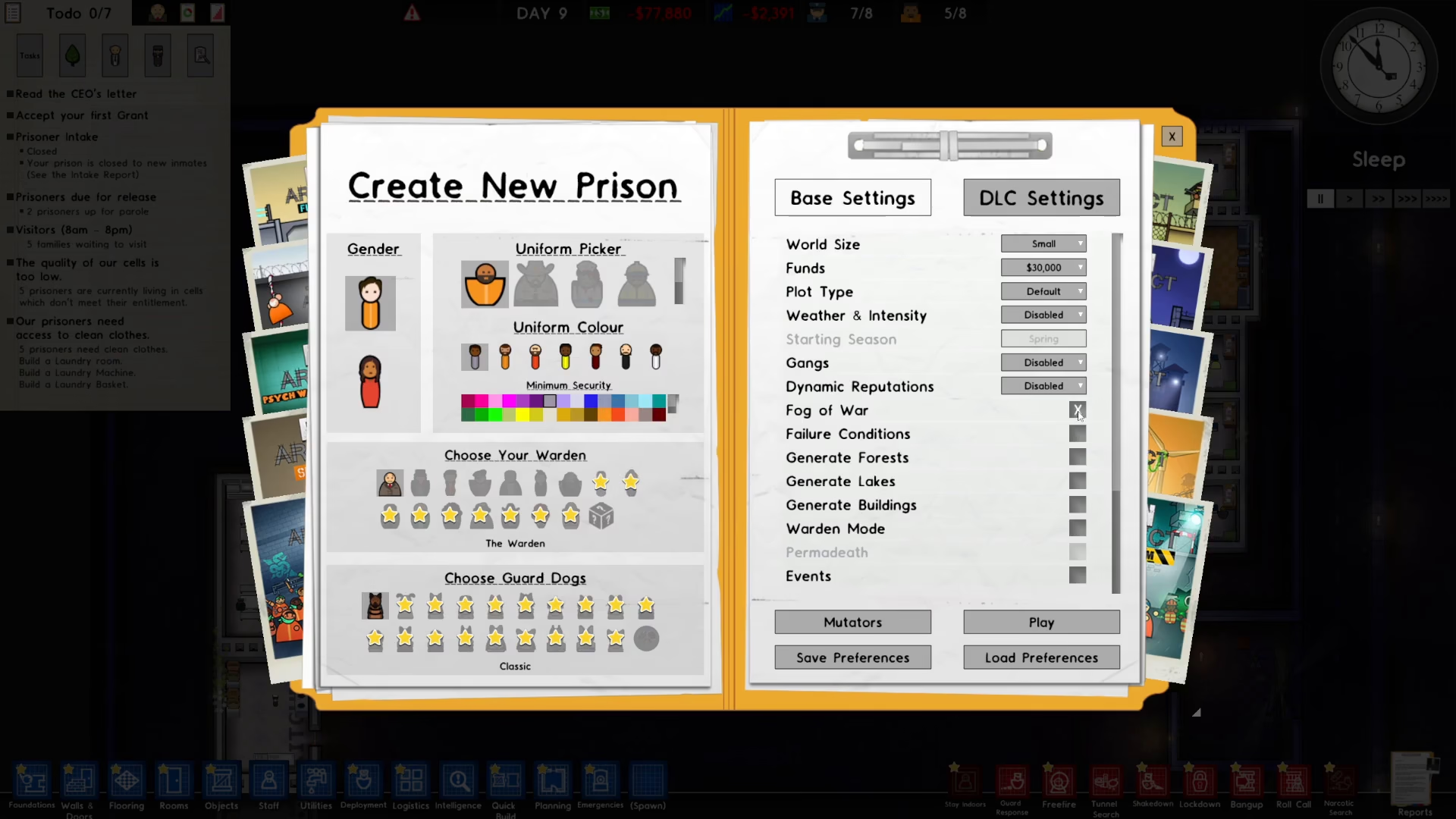
If you’re just starting out and creating a new prison, the easiest time to disable Fog of War is during the initial setup. Simply look for the Fog of War toggle option in the prison creation menu and toggle it off before you begin your run.
Turning Off Fog Of War Mid-Game
If you’ve already started a prison and the Fog of War is enabled, don’t worry—you can still turn it off at any time during your playthrough.
Step-by-Step Instructions
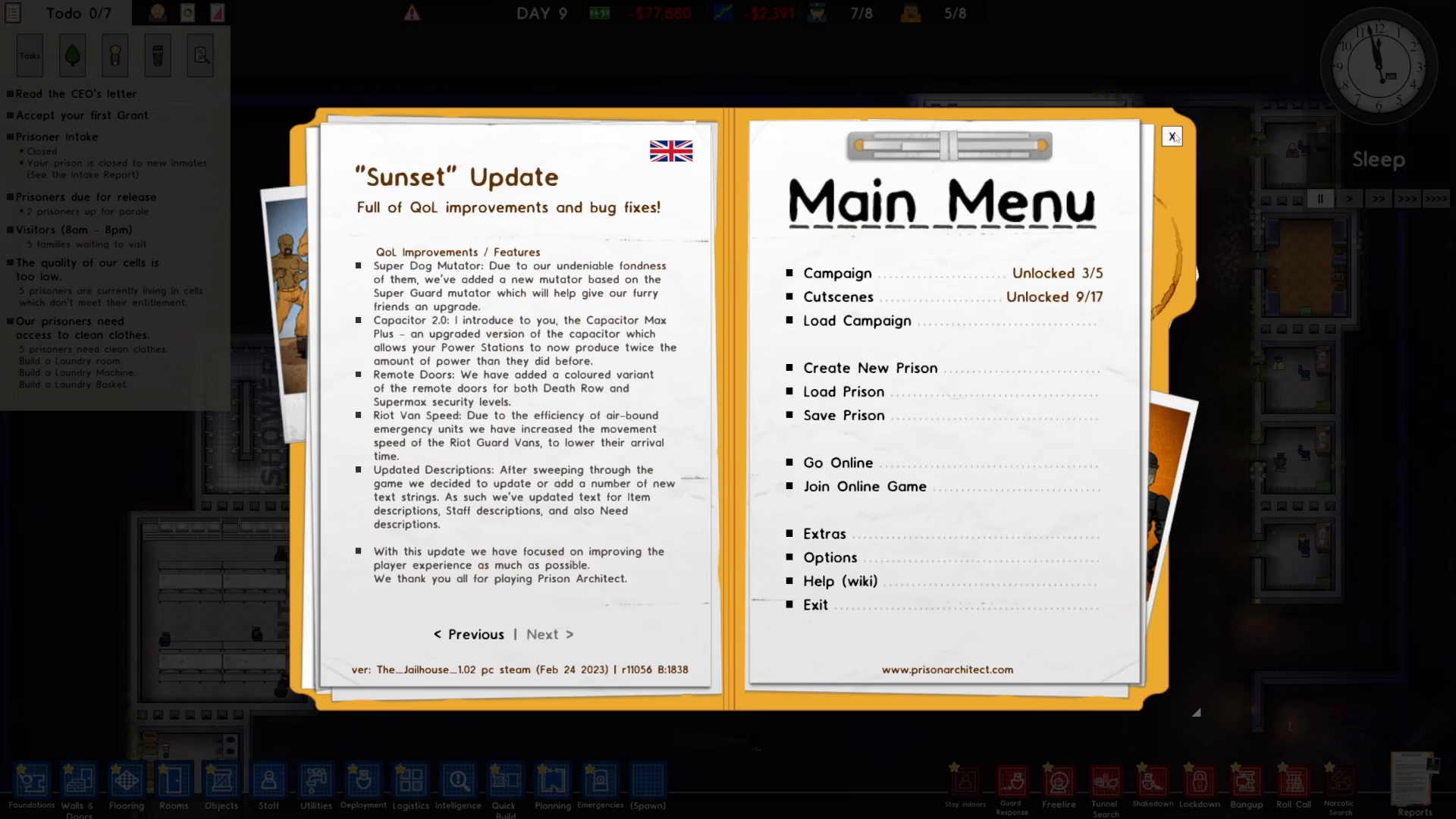
- Press Escape to open the pause menu
- Click on Extras on the left side of the menu
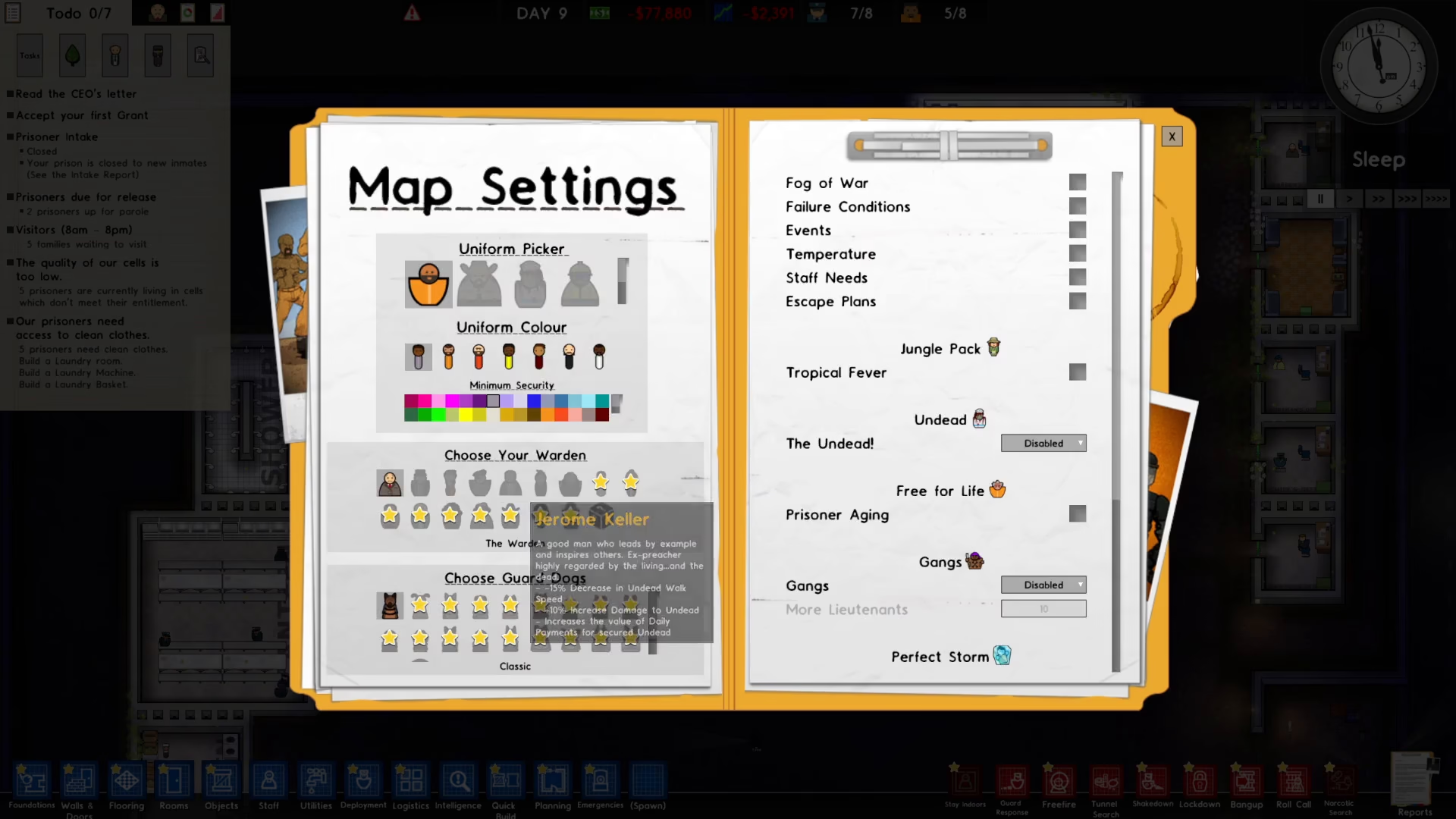
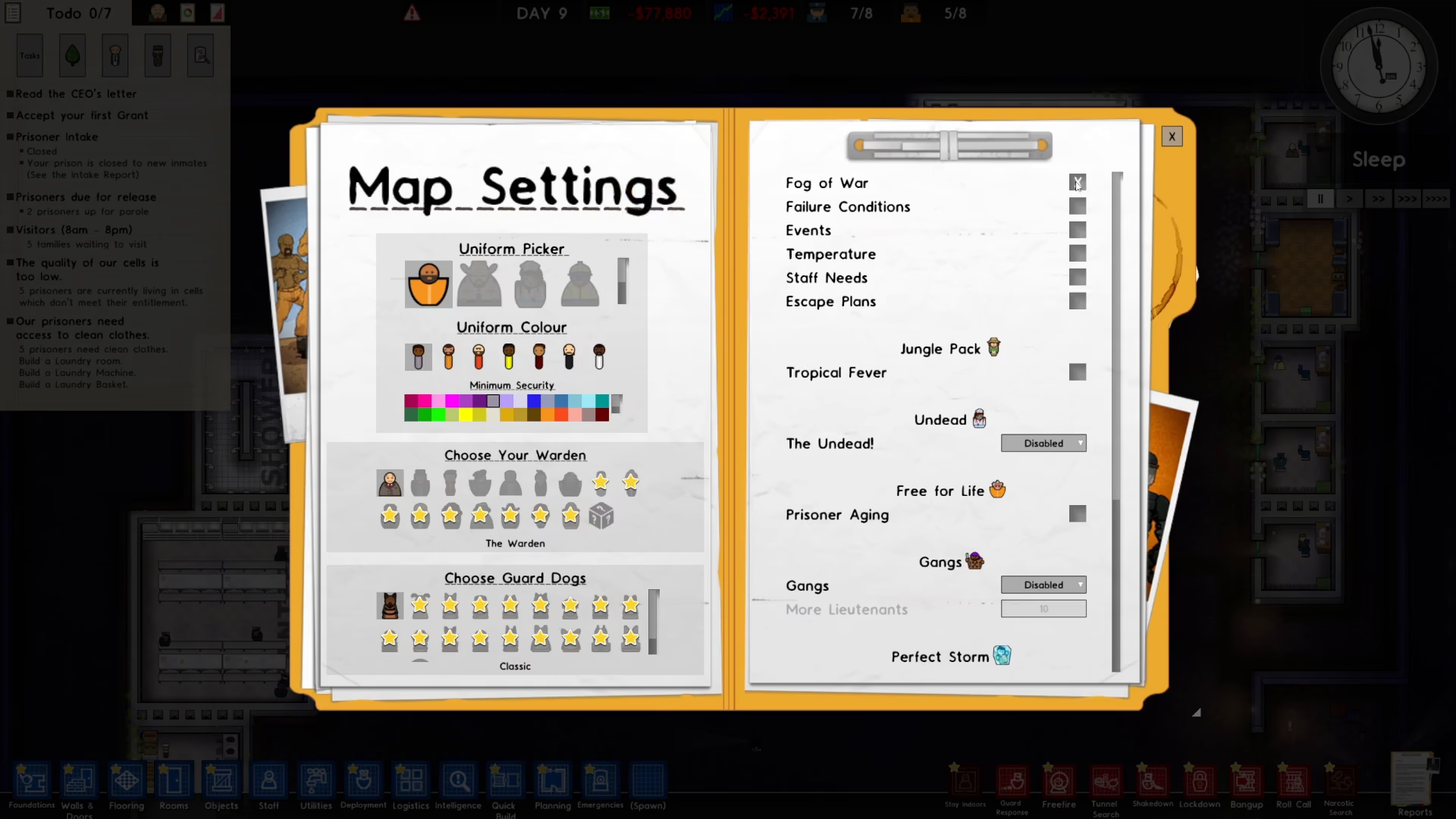
- Select Map Settings
- Look for the Fog of War toggle on the right side of the screen
- Toggle it on or off depending on your preference
- Close the pause menu to apply your changes
Summary
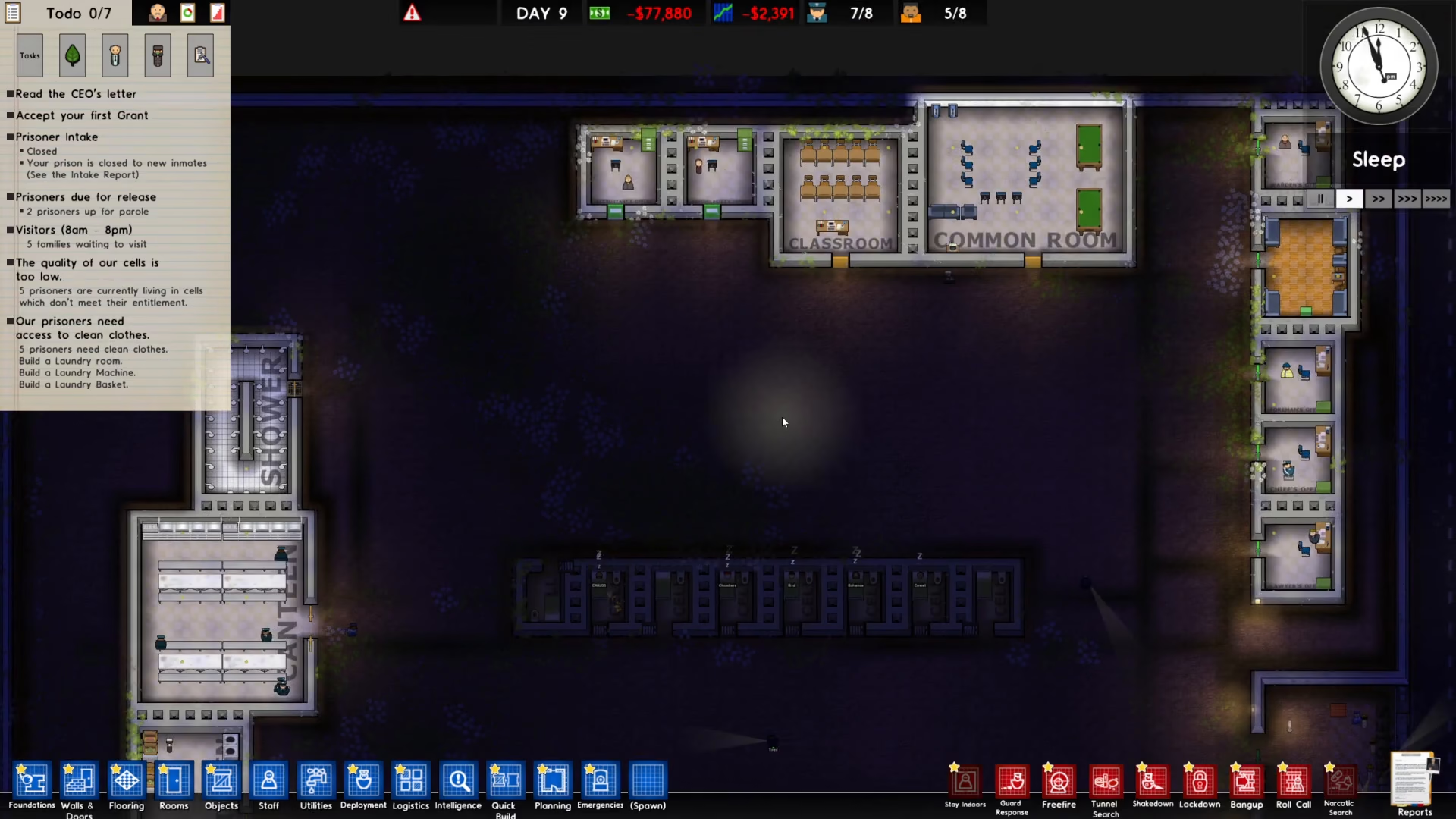
Disabling Fog of War in Prison Architect is a simple process that takes just a few seconds. Whether you prefer to turn it off before starting a new prison or disable it mid-game through the Map Settings menu, you now have complete control over your visibility. This allows you to see your entire prison layout clearly and plan your facility more effectively.
— Want to Support? —
If you would like to help us continue making these guides – please consider joining our patreon here – https://www.patreon.com/c/JaviHeals
Alternatively – you can join our discord here – https://discord.gg/zD7Gjt6MHF
“`