





How To Turn Off Music In Prison Architect
How To Turn Off Music In Prison Architect
If you’re playing Prison Architect and find the background music distracting, you can easily disable it through the game’s audio settings. This quick tutorial will walk you through the simple steps needed to mute the music and enjoy a quieter gaming experience.
Accessing the Audio Settings
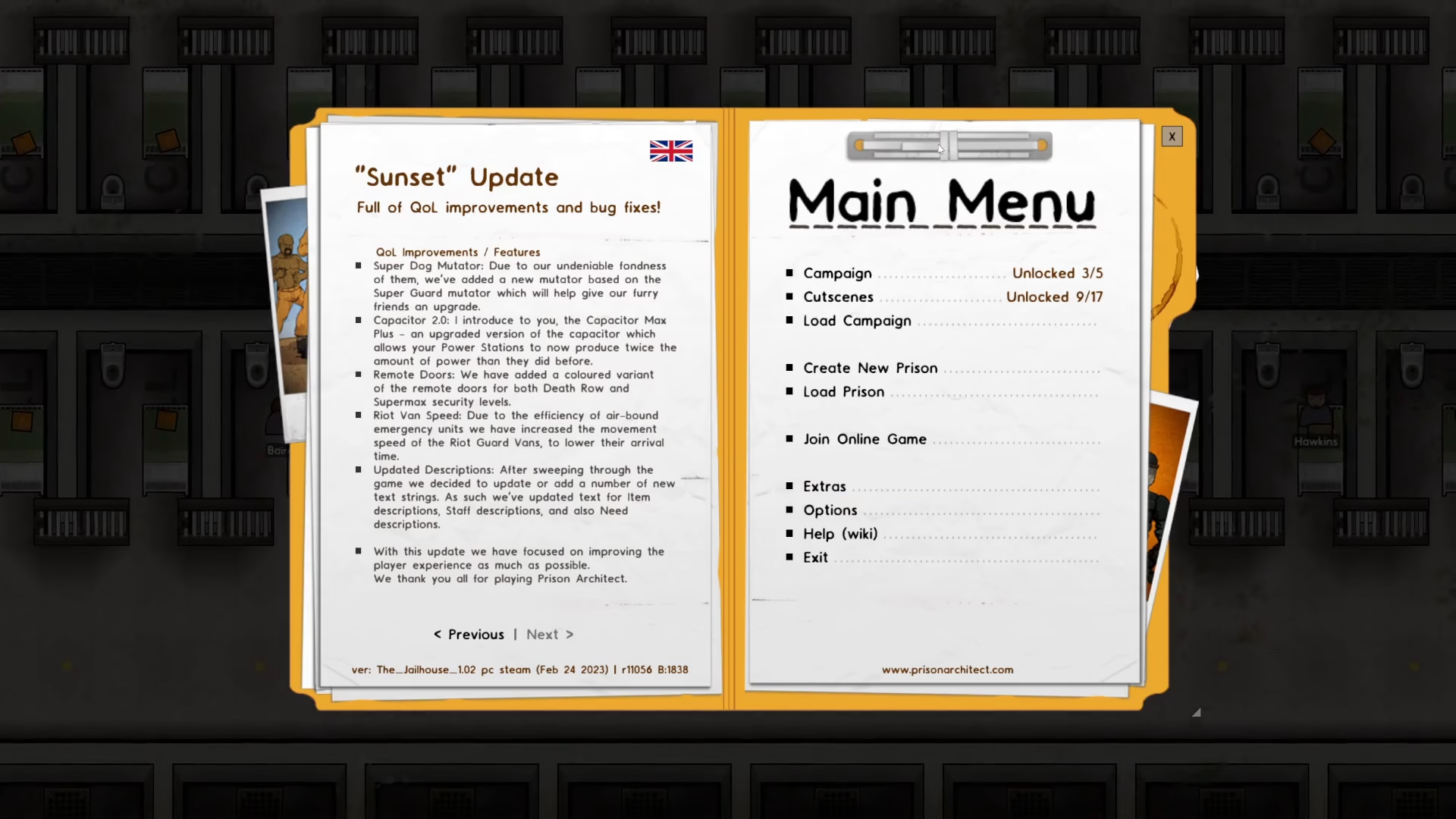
Start by opening the main menu in Prison Architect. From this screen, look for the Options button and click on it.
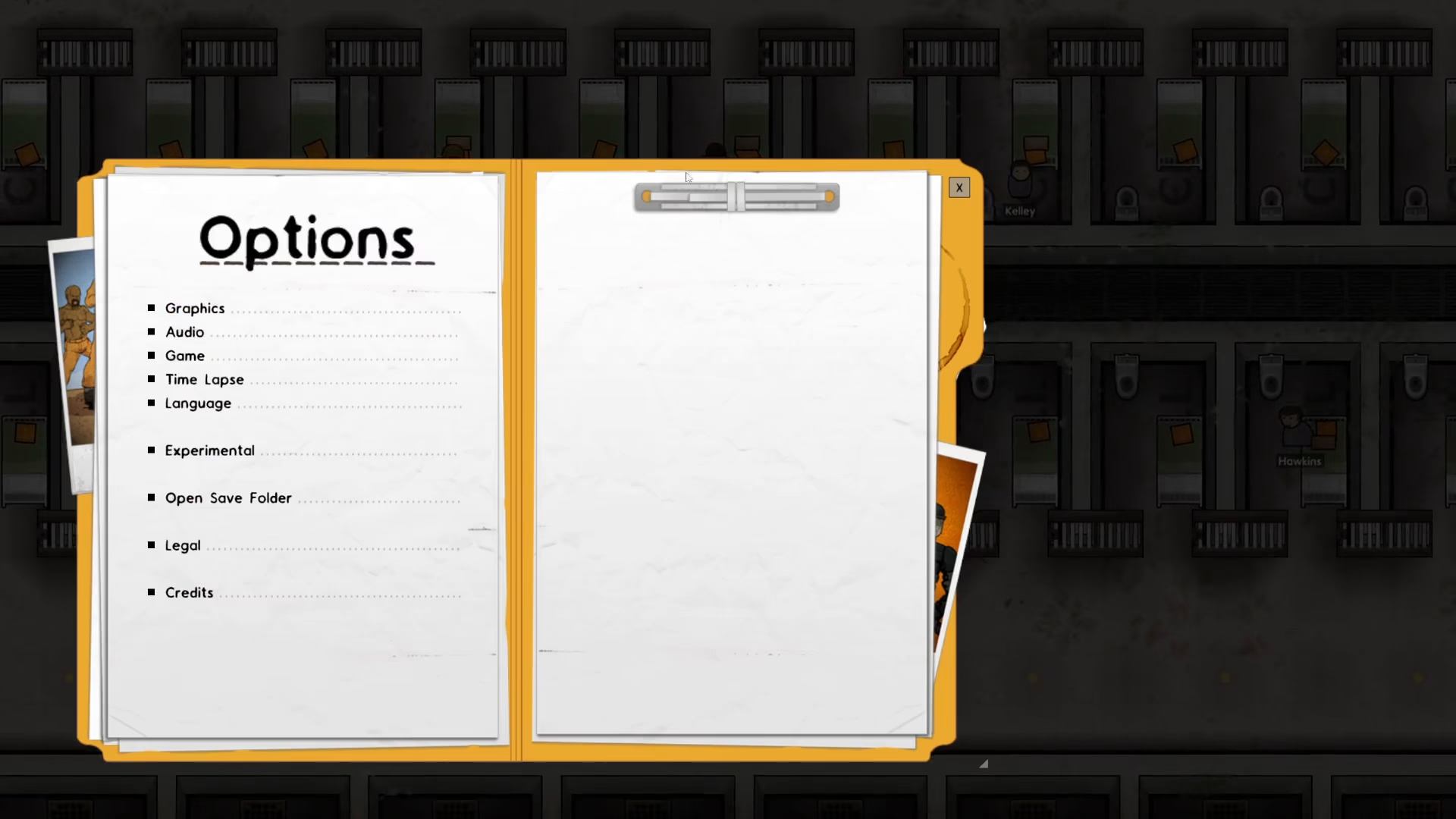
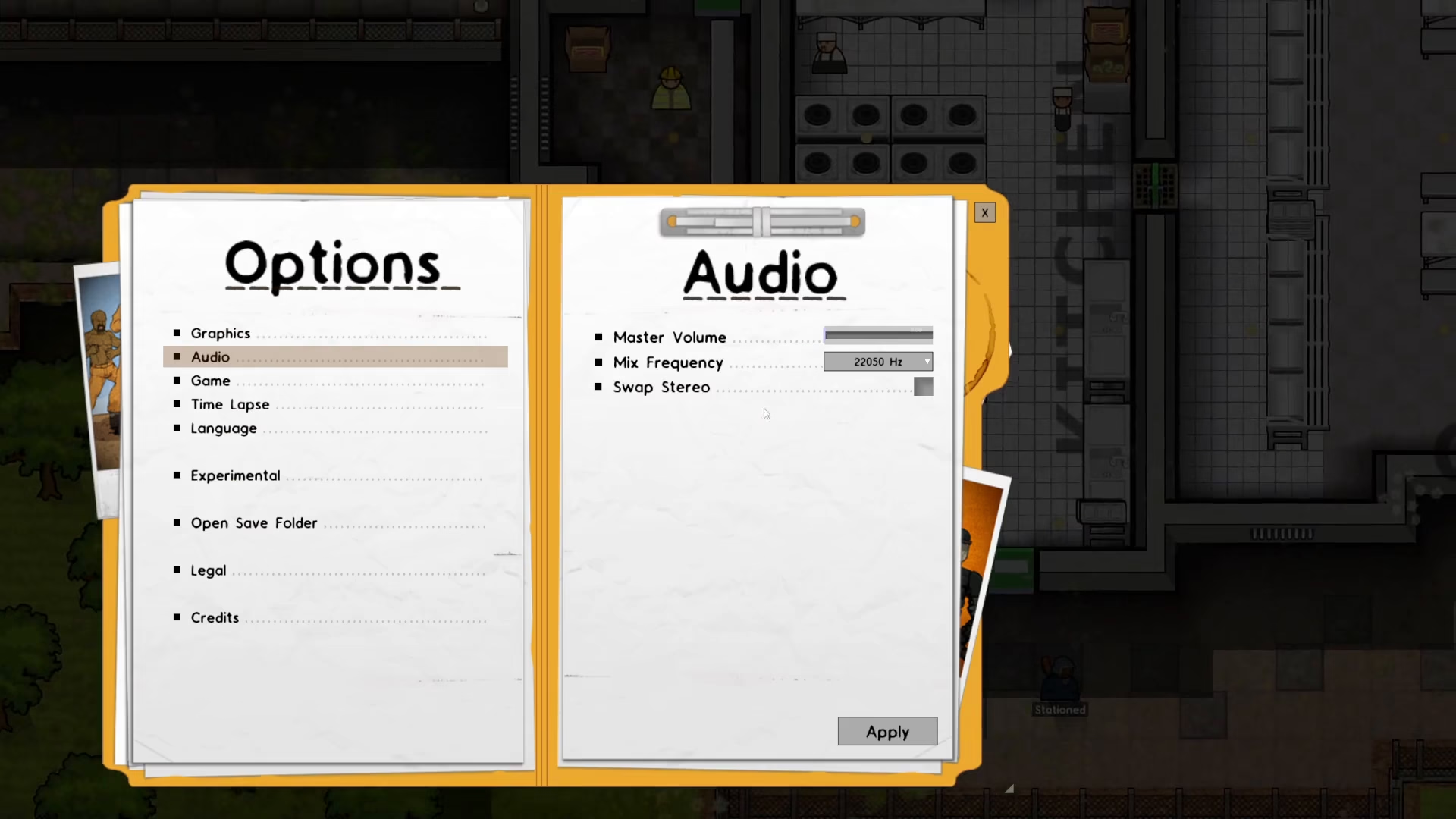
Once you’re in the Options menu, locate the Audio tab on the left side of the screen and click on it to access the audio settings.
Turning Off the Master Volume
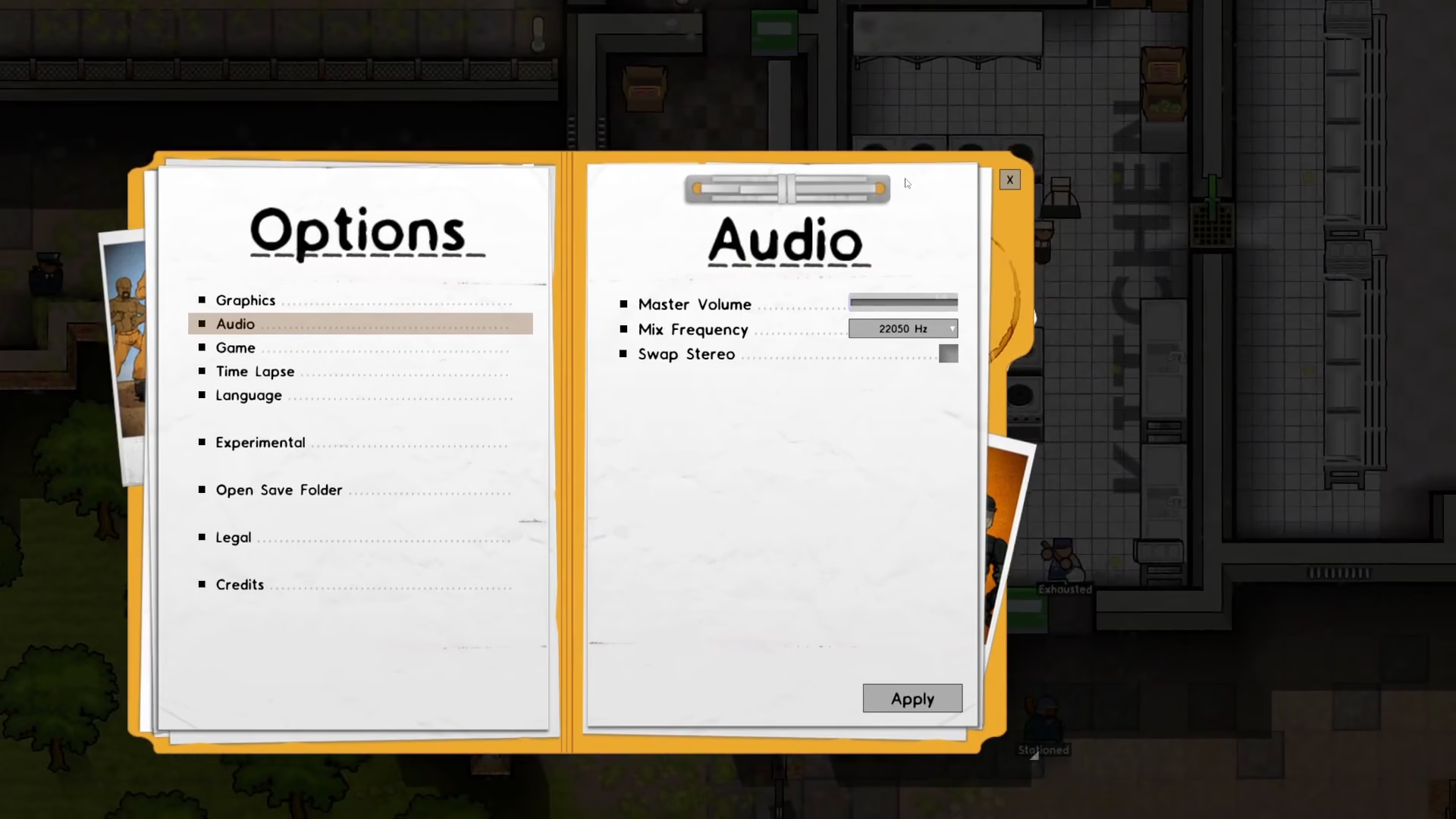
In the Audio settings panel, you’ll see the Master Volume slider on the right side. To turn off all music and sounds, simply slide this volume control all the way to the left side, reducing it to zero.
Applying Your Changes
After adjusting the Master Volume slider, click the Apply button to save and activate your changes. The music will now be completely disabled in Prison Architect.
Summary
That’s all there is to it! You’ve successfully turned off the music in Prison Architect. By following these simple steps—opening Options, navigating to Audio, reducing the Master Volume to zero, and clicking Apply—you can enjoy your prison-building experience in complete silence whenever you prefer.
Want to Support?
If you would like to help us continue making these guides – please consider joining our patreon here – https://www.patreon.com/c/JaviHeals
Alternatively – you can join our discord here – https://discord.gg/zD7Gjt6MHF



