






How to Use Monitoring Stand In Palworld
How to Use Monitoring Stand In Palworld
The Monitoring Stand is one of the most useful tools in Palworld for managing your base’s productivity. This guide will walk you through all the features of the Monitoring Stand, including how to adjust work intensity, set work preferences, and assign specific pals to workstations. Mastering this tool is essential for optimizing your base operations and keeping your pals happy and productive.
What is the Monitoring Stand?
The Monitoring Stand is an item in Palworld that allows you to control and organize the work assignments of your pals. It’s a central hub for managing your base’s workforce efficiency and ensuring your pals are assigned to tasks that suit their abilities.
Accessing the Monitoring Stand
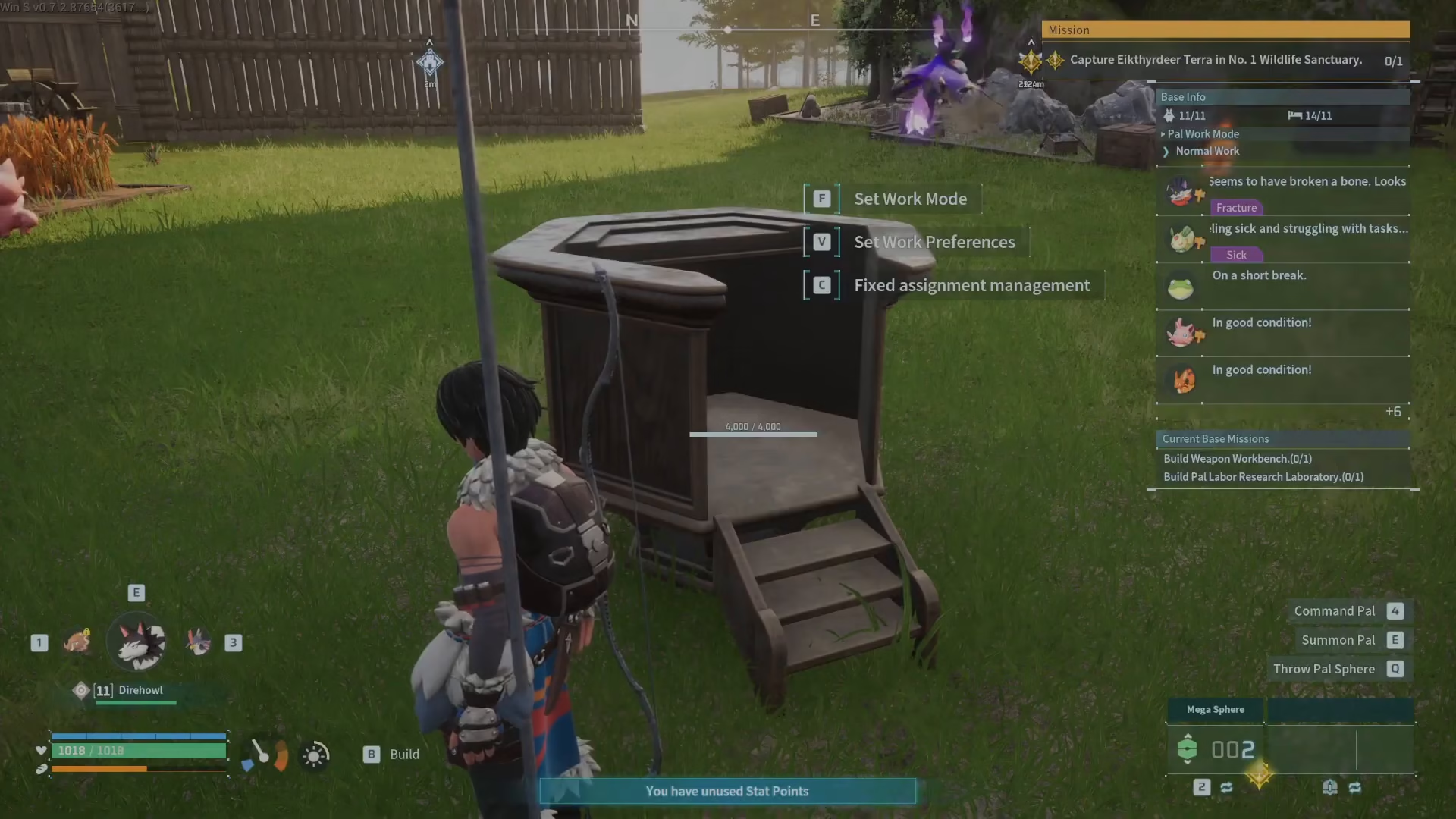
To use the Monitoring Stand, simply press F or C on your keyboard to interact with it. This will open the main menu where you can access all the available options for managing your pals’ work.
Adjusting Work Intensity
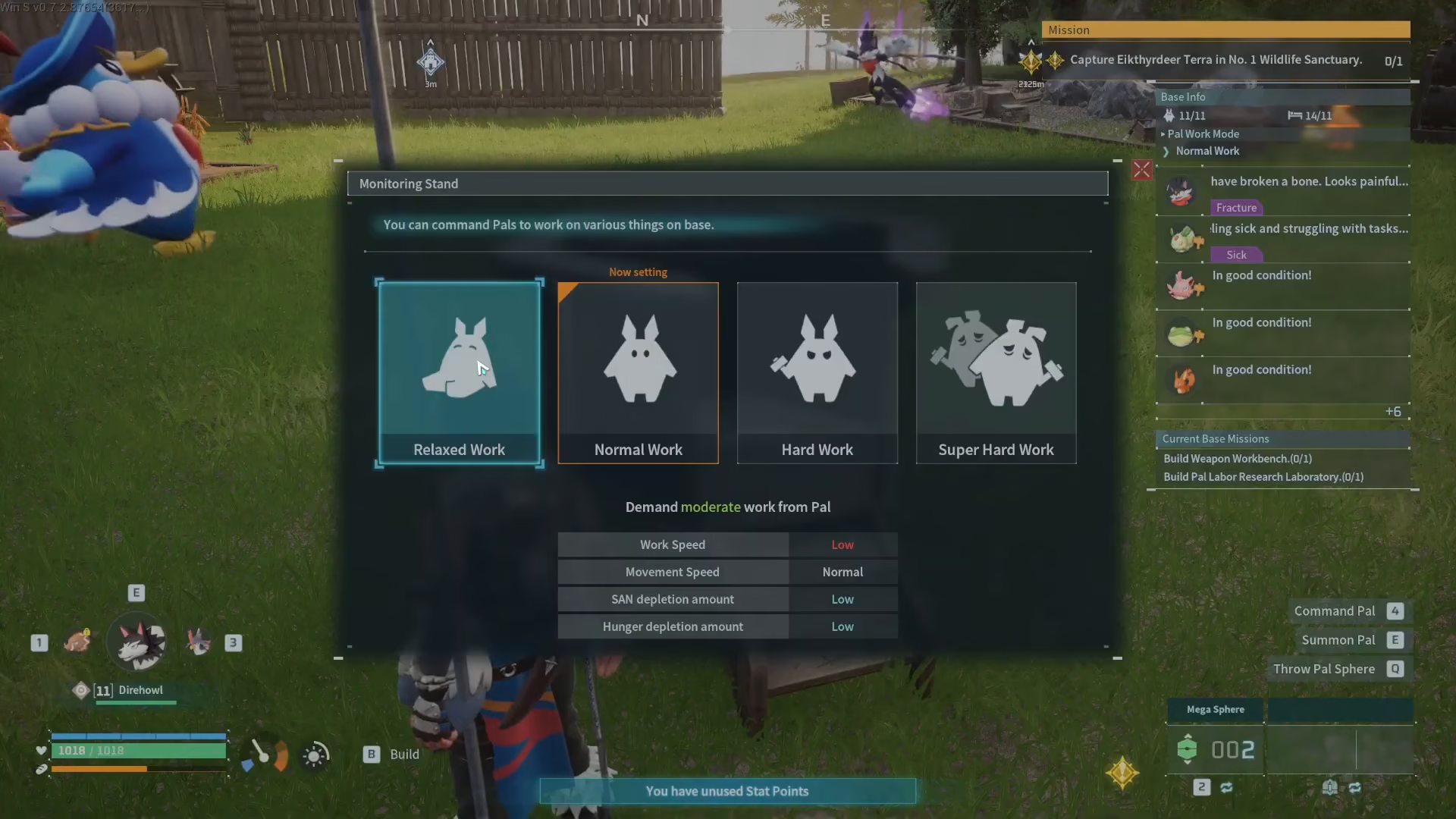
The first option available is adjusting your pals’ work intensity. You can set them to one of four levels: Relaxed, Normal, Hard, or Super.
The harder you push your pals to work, the faster they’ll complete tasks. However, this comes at a cost—their sanity will deplete more quickly, and they’ll become hungry faster. To maintain pals on higher workload settings, you’ll need to ensure you have excellent facilities in place, including proper food supplies and areas for them to rest and recover.
Setting Work Preferences
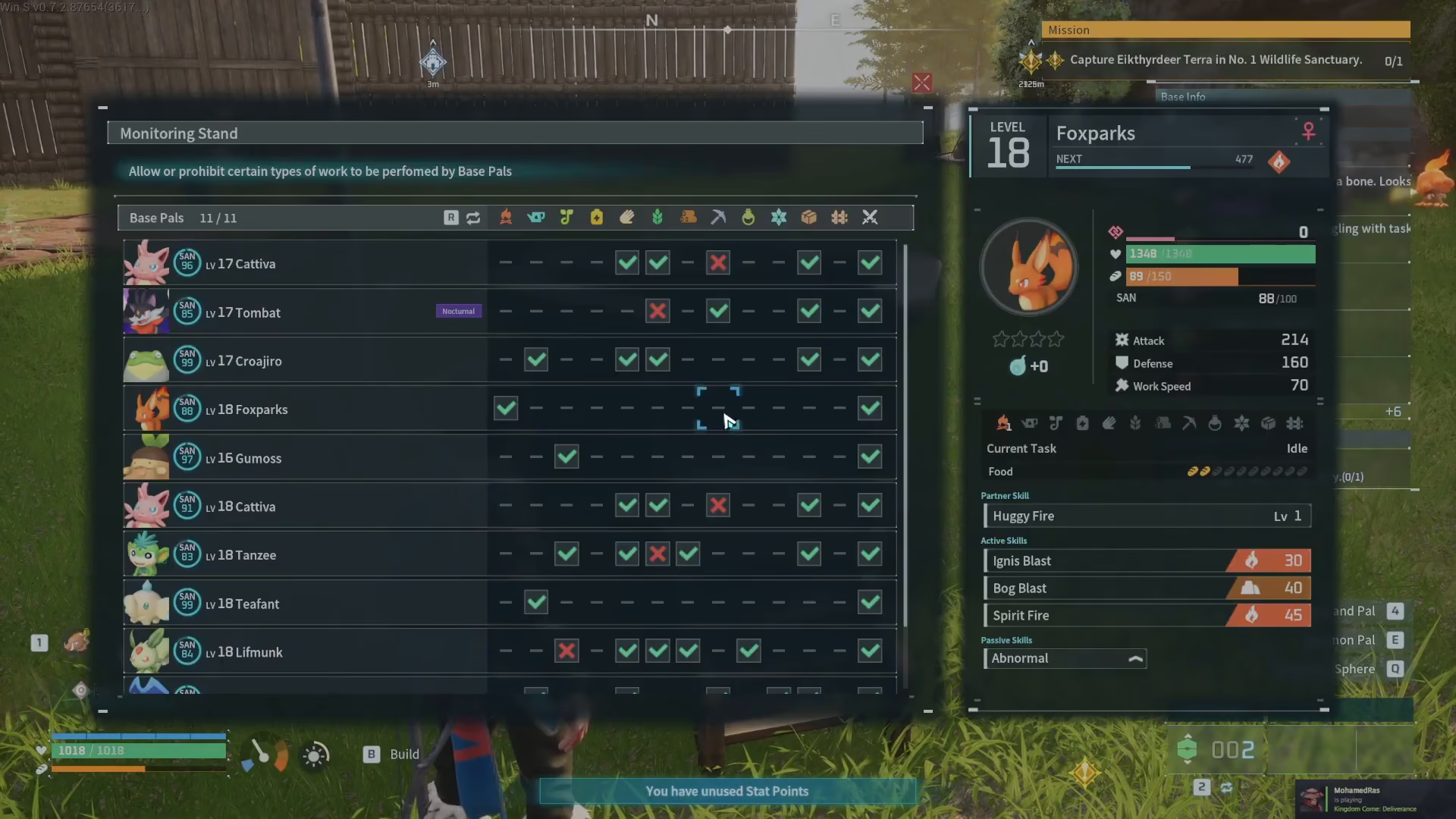
The second option is “Set Work Preferences,” which gives you granular control over what jobs your pals will perform.
In this menu, you’ll see a list of all your pals on the left side, and the different job categories available on the right. This is particularly useful because many pals can perform multiple types of work. If you want a specific pal to focus only on certain tasks, you can designate which jobs they should do and which ones they should avoid. Simply select which jobs you want them to prioritize, and they’ll focus their efforts accordingly.
Fixed Work Assignments
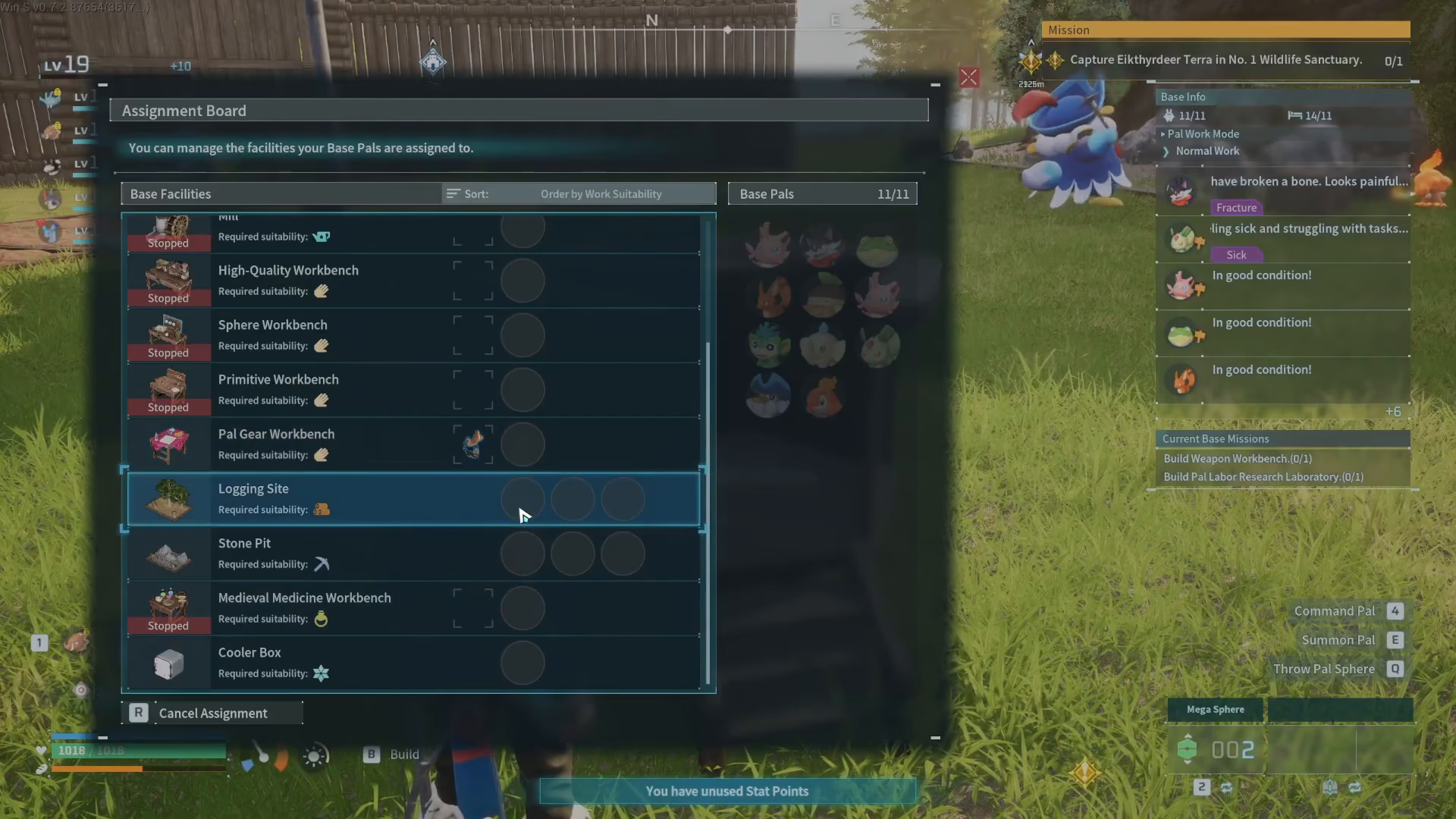
The third and final option is “Fixed Work Assignments,” which allows you to assign specific pals to specific workstations.
In this menu, your workstations are displayed on the left side. When you select a workstation—such as the Logging Site—the system will show you on the right which pals are capable of working at that location. You can then manually select which pals you want assigned to that specific workstation. This approach is perfect when you want to ensure certain pals are dedicated to particular tasks and workstations throughout your base.
Summary
The Monitoring Stand is an essential tool for base management in Palworld. By utilizing its three main features—adjusting work intensity, setting work preferences, and making fixed work assignments—you can create an efficient and well-organized base. Remember that pushing your pals harder means they work faster, but you’ll need quality facilities to support them. Take time to strategically assign your pals to roles that match their abilities, and your base will run smoothly.
Want to Support?
If you would like to help us continue making these guides – please consider joining our patreon here – https://www.patreon.com/c/JaviHeals
Alternatively – you can join our discord here – https://discord.gg/zD7Gjt6MHF



