





How To Use Voice Box Without Mic In Phasmophobia
How To Use Voice Box Without Mic In Phasmophobia
The Spirit Box is one of the most essential tools for communicating with ghosts in Phasmophobia. Normally, it requires a microphone to use voice chat during gameplay. However, if you don’t have a microphone available, there’s a simple alternative that allows you to interact with spirits using text-based input instead. This guide will walk you through the process of using the Voice Box without a microphone.
Understanding the Voice Box in Phasmophobia
The Voice Box, commonly referred to as the Spirit Box, is a ghost-hunting tool that enables direct communication with spirits. To use the Spirit Box in its standard voice mode, you simply press your right mouse button and speak into your microphone through the game’s voice chat system.
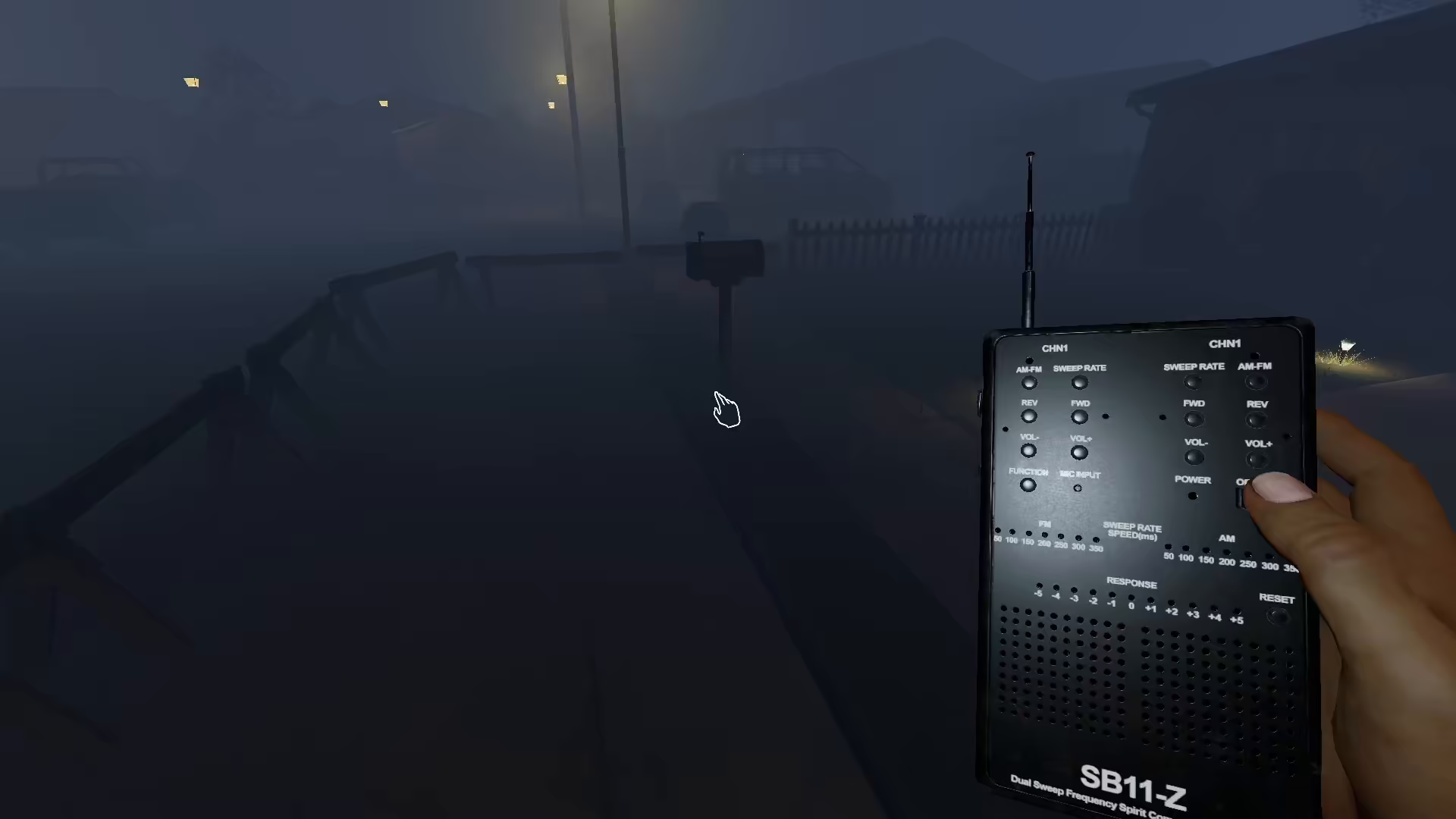
How to Use Voice Box Without a Microphone
Accessing Voice Recognition Settings
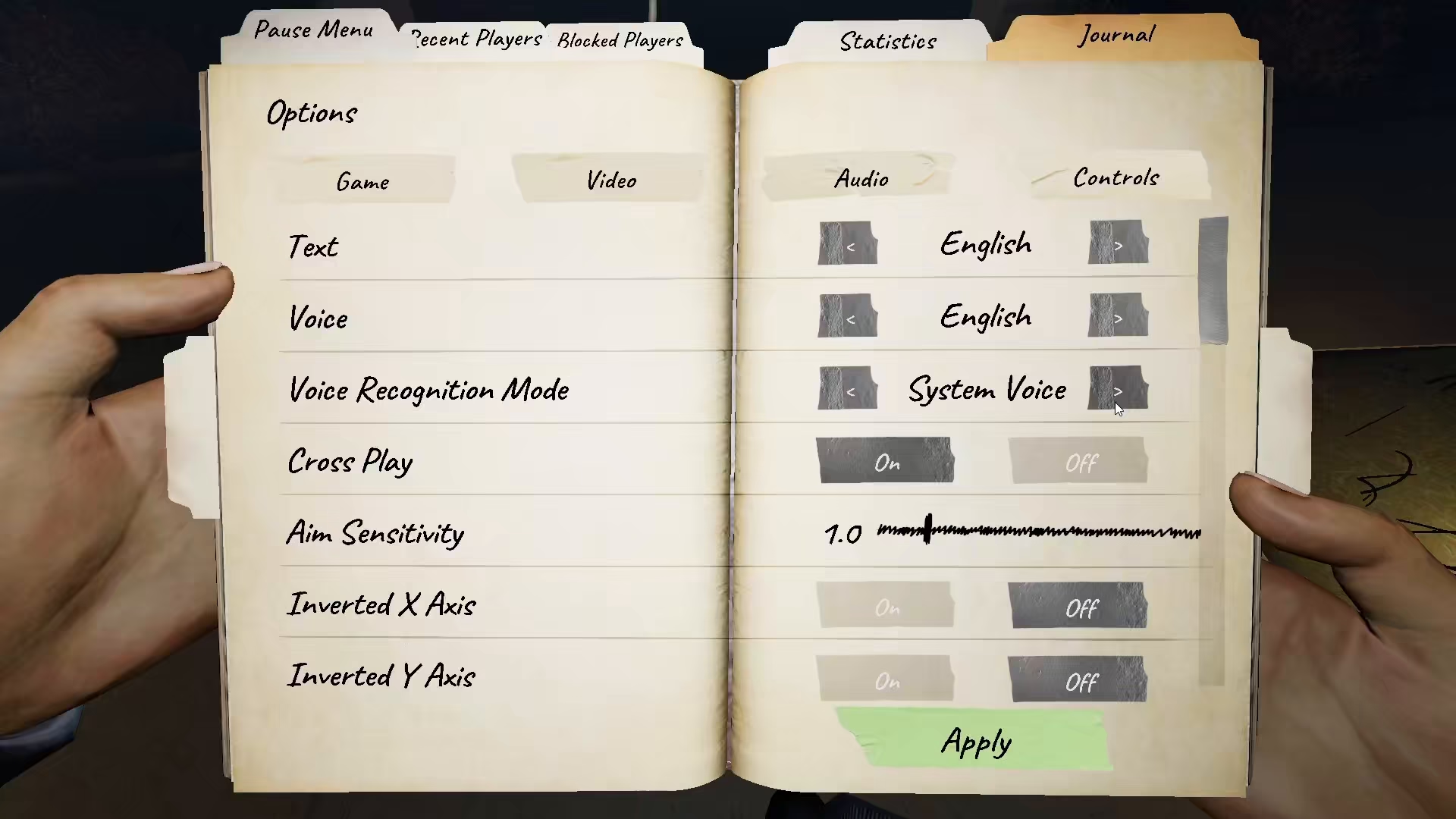
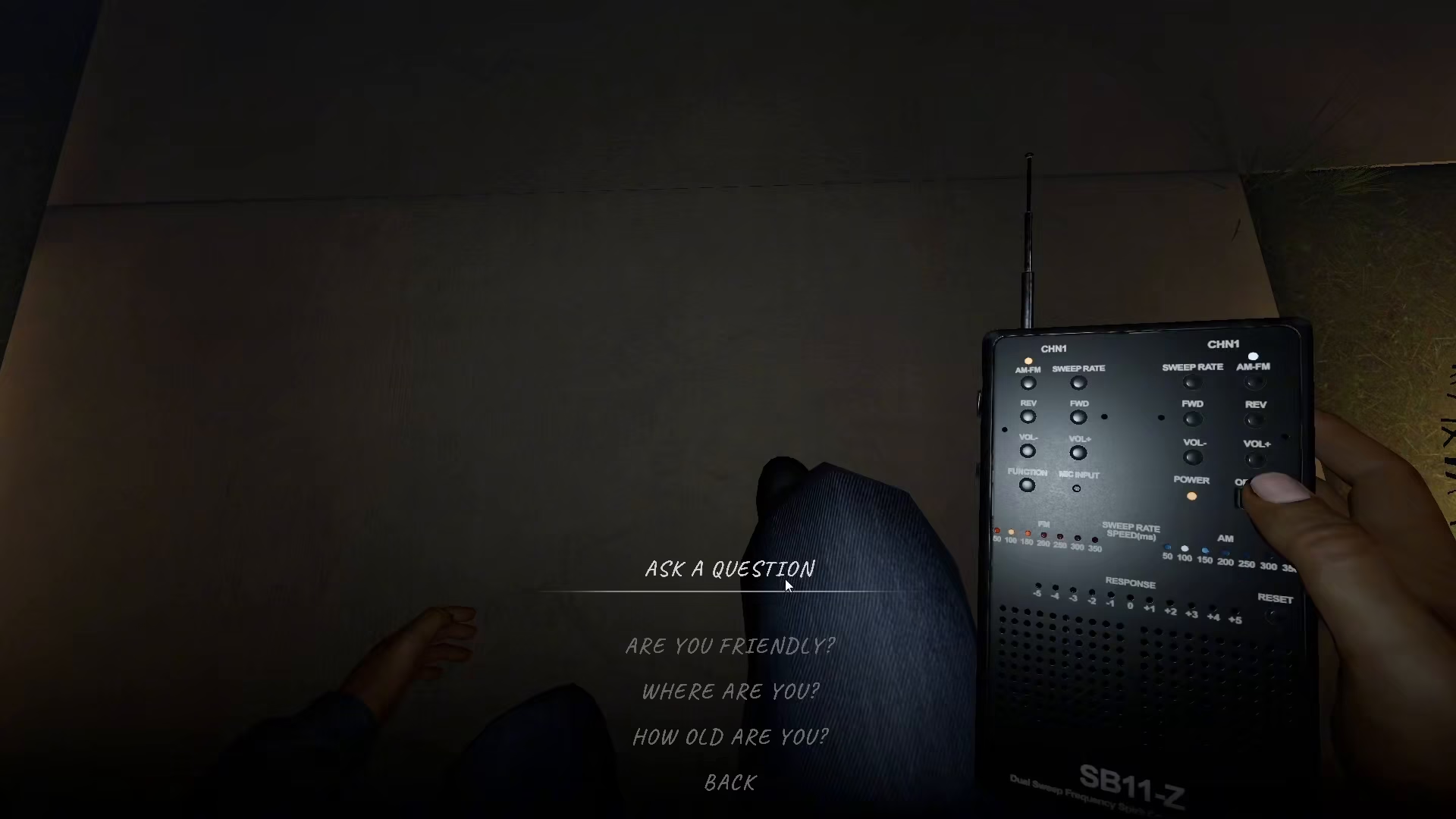
If you don’t have a microphone, you can switch to an alternative input method by going into your voice recognition mode settings. Look for the option to change your voice input to text mode instead of voice chat.
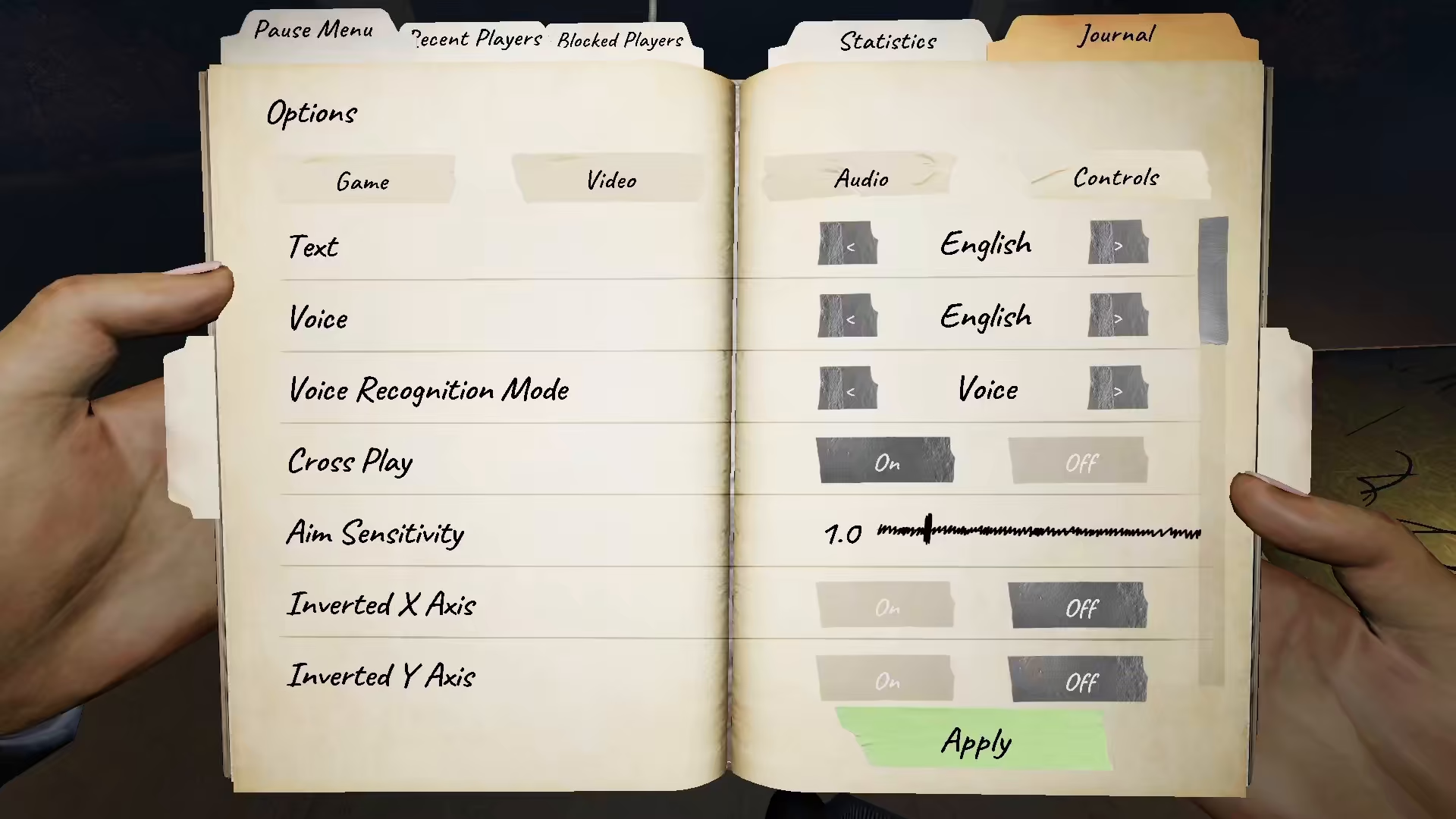
Switching to Text Mode
Once you change the voice recognition mode to text, this will alter your entire voice system configuration. This change applies to all voice-related mechanics in the game, including the Spirit Box, Ouija Board, and other ghost interaction tools.
Asking Questions to Ghosts Using Text
After enabling text mode, you’ll see a menu with pre-written questions available. Instead of speaking into your microphone, you can simply select questions from this menu to ask the ghost. This text-based approach allows you to communicate with spirits just as effectively as voice chat, without requiring a microphone.
Summary
Using the Voice Box without a microphone in Phasmophobia is straightforward. Simply access your voice recognition settings, switch from voice mode to text mode, and you’ll be able to interact with ghosts using a text-based question menu. This feature makes ghost hunting accessible to players regardless of whether they have microphone hardware available.
Want to Support?
If you would like to help us continue making these guides – please consider joining our patreon here – https://www.patreon.com/c/JaviHeals
Alternatively – you can join our discord here – https://discord.gg/zD7Gjt6MHF


