How to Make Stairs in 7 Days to Die
How to Make Stairs in 7 Days to Die
Building structures in 7 Days to Die doesn’t have to be complicated. If you’re tired of jumping to reach higher levels in your custom building, stairs are the perfect solution. This quick tutorial will show you exactly how to create and place stairs in your base, making navigation much easier and more efficient.
Getting Started with Stairs
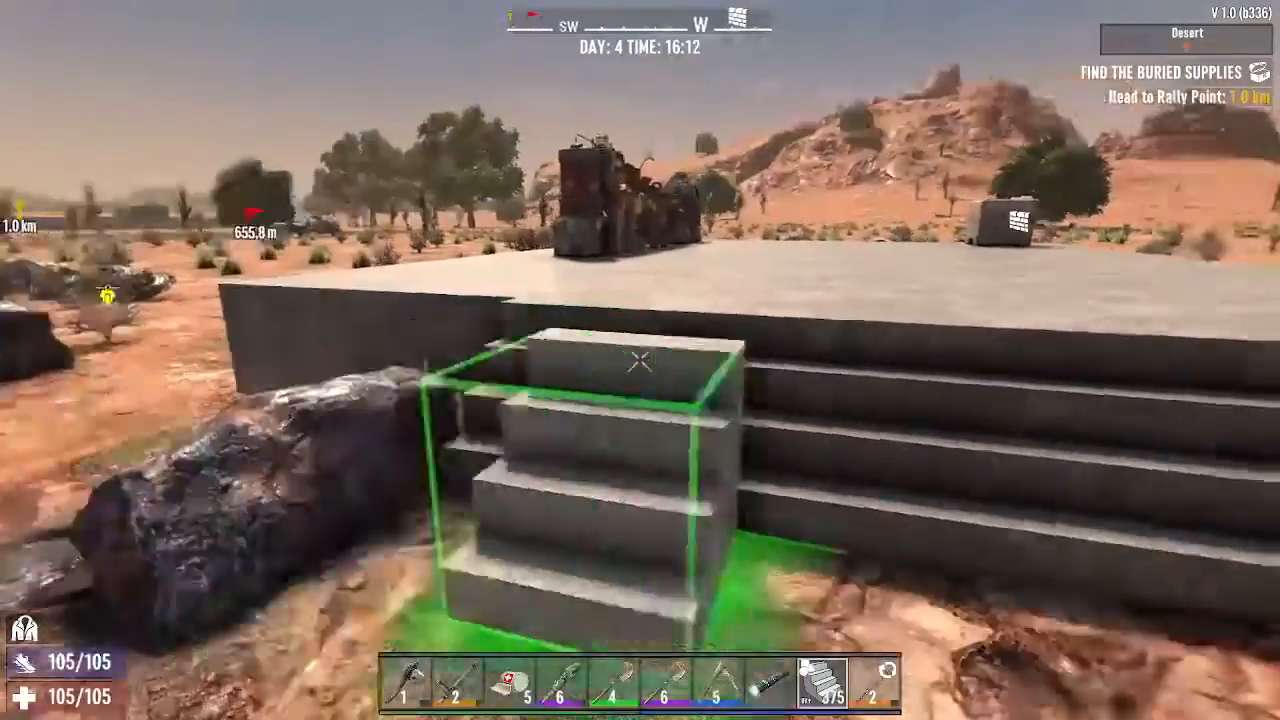
To begin building stairs, you’ll need to have your frame shape or building block ready. Once you have your block selected, hold down the reload button, which is mapped to the R key by default.
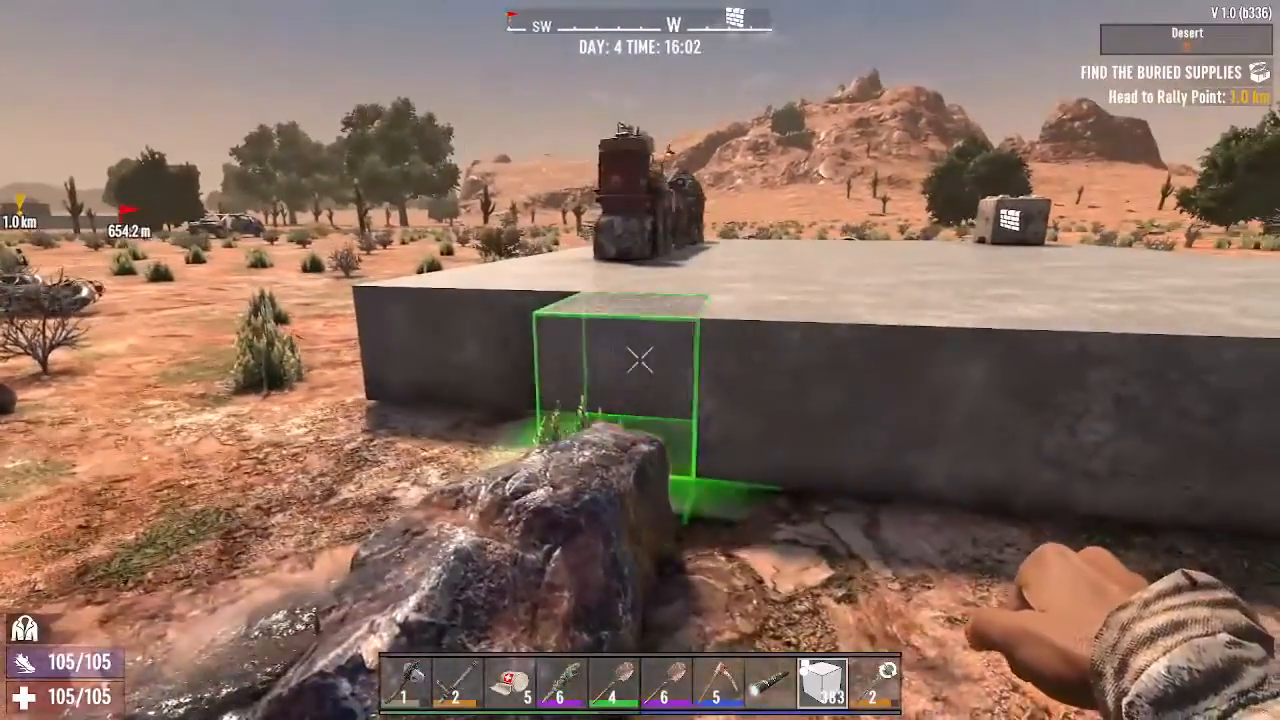
Accessing the Stair Option
While holding the reload button, look for the top middle icon in the shape menu. This icon displays a circle, a square, and a triangle. Hover over this icon and keep your cursor there to reveal the stairs building option.
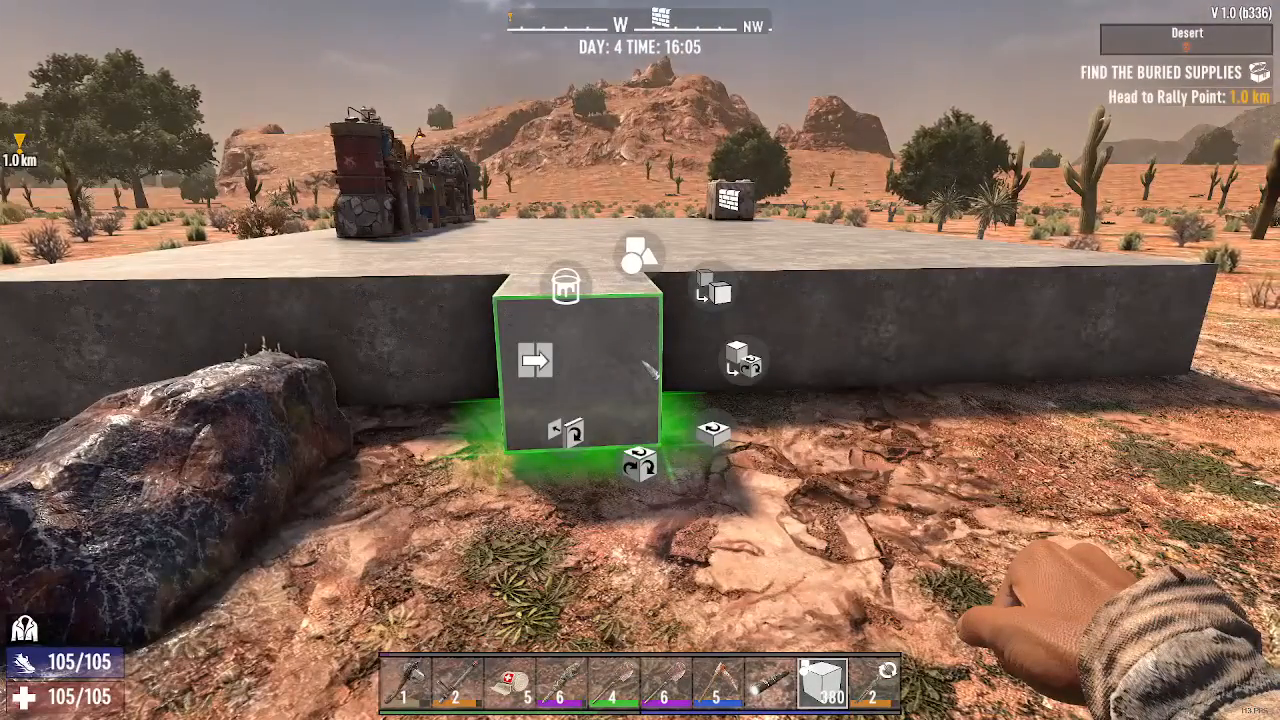
Rotating and Placing Your Stairs
Once you’ve selected the stairs option, you have full control over the placement. Use left click to rotate the stairs in different directions, allowing you to position them however you prefer within your building. Experiment with the rotation to find the perfect orientation for your structure.
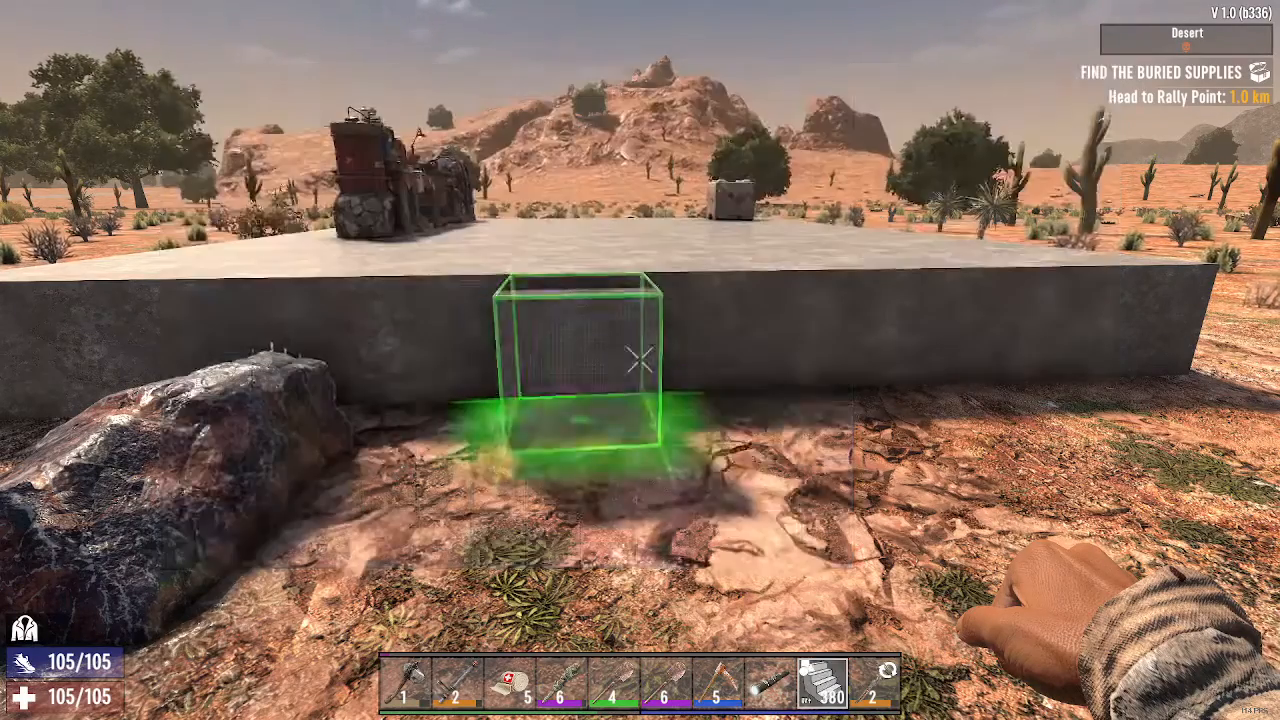
Enjoy Easier Building Navigation
With your stairs now in place, you can walk up to higher levels without having to jump repeatedly. This not only makes your base more accessible but also creates a more polished and professional-looking structure in your 7 Days to Die world.
Summary
Making stairs in 7 Days to Die is straightforward and takes just a few seconds to master. Simply select your building block, hold the reload button (R), hover over the shape menu icon with the circle, square, and triangle, choose stairs, and then rotate and place them as needed. This simple technique will significantly improve how you navigate your custom buildings and bases throughout the game.
— Want to Support? —
If you would like to help us continue making these guides – please consider joining our patreon here – https://www.patreon.com/c/JaviHeals
Alternatively – you can join our discord here – https://discord.gg/zD7Gjt6MHF