How to Play Age of Mythology Retold in Multiplayer
How to Play Age of Mythology Retold in Multiplayer
Age of Mythology Retold offers several exciting ways to enjoy the game with friends and other players online. Whether you’re looking for a quick casual match or competitive ranked play, this guide will walk you through all the multiplayer options available and how to set them up.
Accessing the Multiplayer Menu
To get started with multiplayer, launch Age of Mythology Retold and load up the game from the main menu.
Once you’re on the main menu, simply press the multiplayer button to access all available multiplayer options.
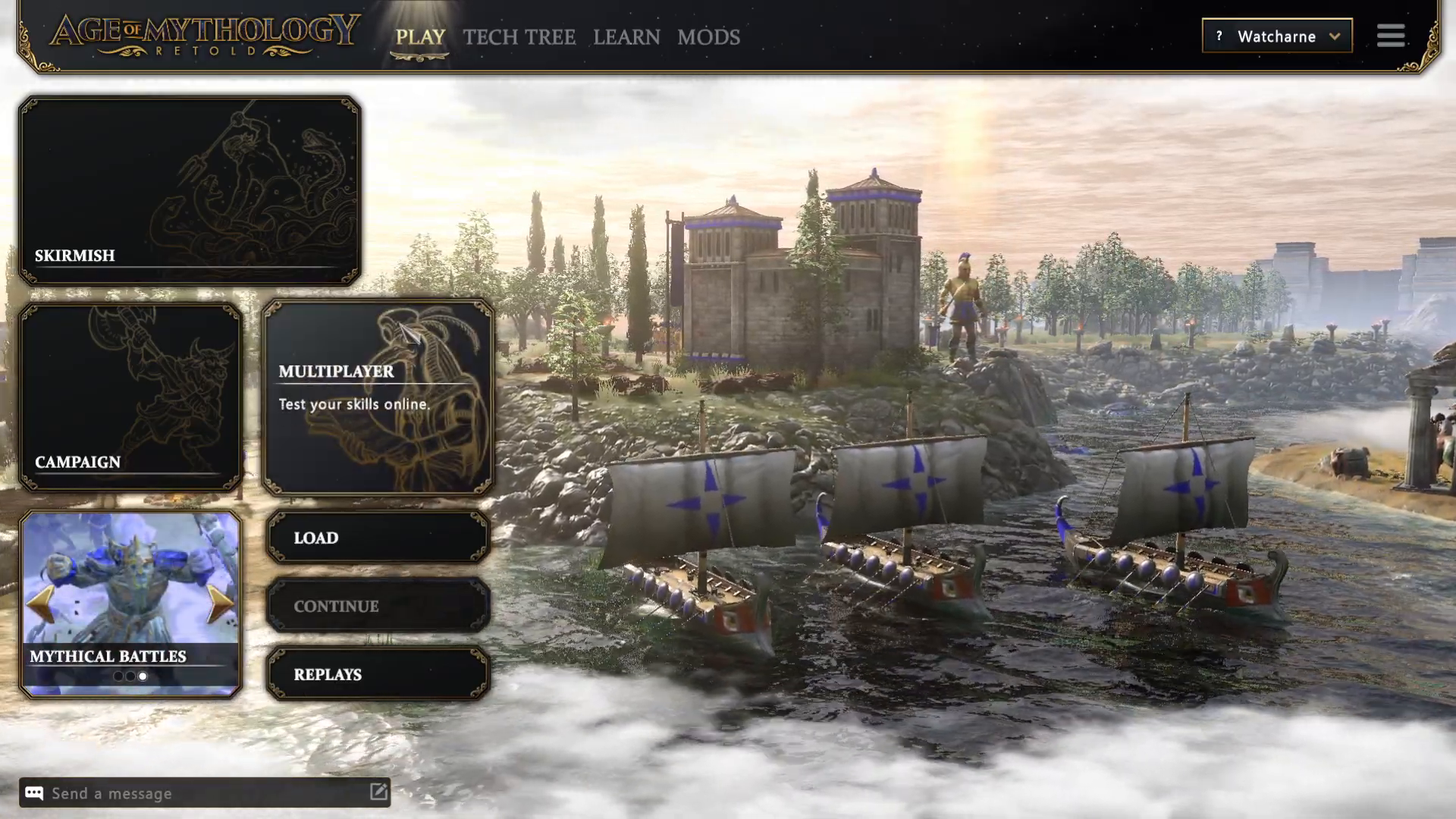
Multiplayer Game Mode Options
Age of Mythology Retold provides several ways to play multiplayer. You can choose between Quick Match, hosting your own game, browsing existing games, or joining ranked matches.
Quick Match
Quick Match will automatically place you into an available game with other players. This is the fastest way to jump into multiplayer if you don’t want to set up specific parameters.
Hosting Your Own Game
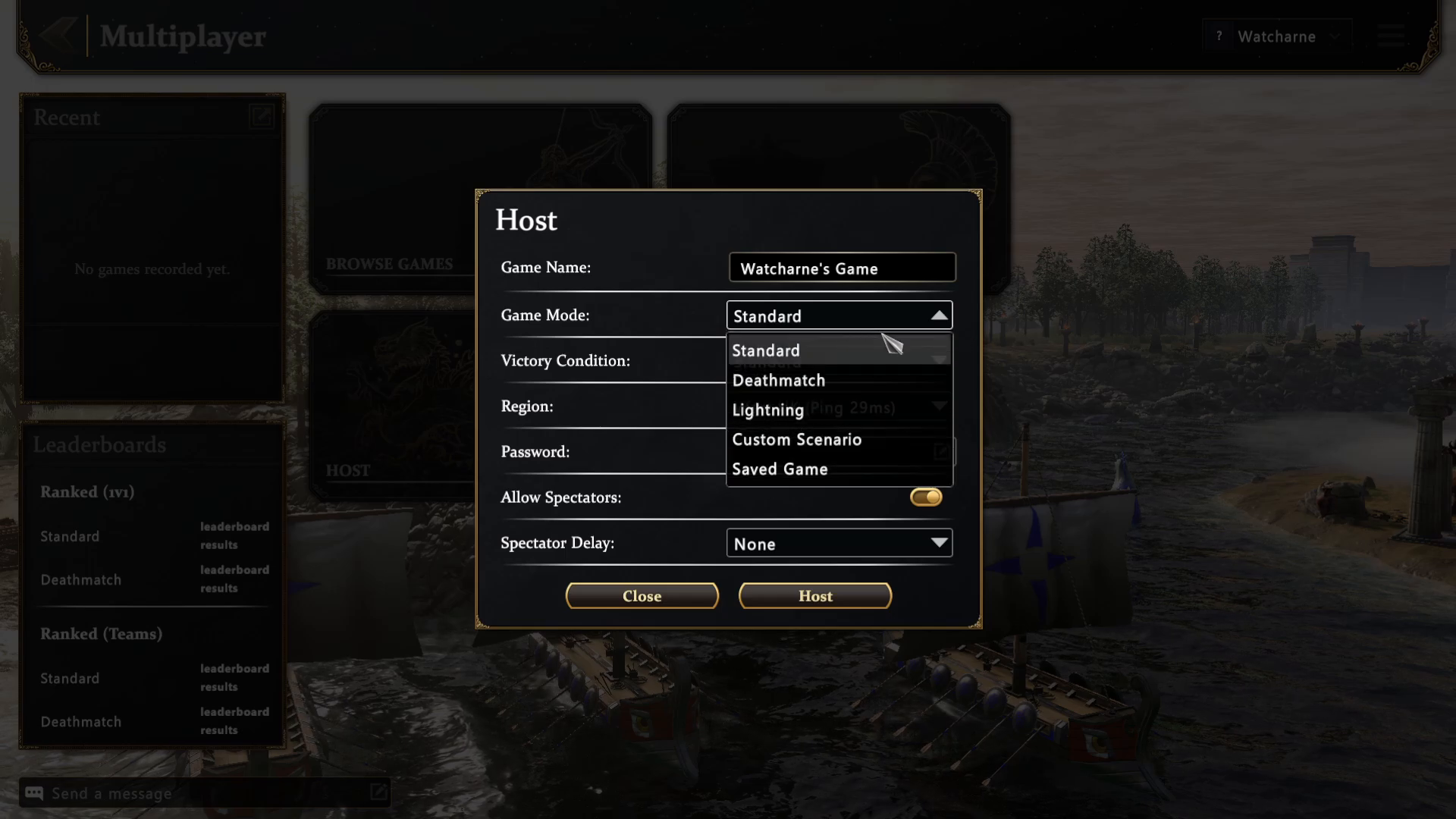
If you prefer to customize your multiplayer experience, you can host your own game. When hosting, you have full control over the following settings:
Game Name: Name your game whatever you’d like—call it a casual game, a competitive match, or anything else you prefer
Game Mode: Choose from multiple options:
Standard: Traditional gameplay with standard resource allocation
Death Match: Start with higher resources for faster-paced combat
Lightning: Win by playing at high speeds for intense, quick matches
Custom Scenario: Create or play custom-designed scenarios
Saved Game: Resume from a previously saved game state
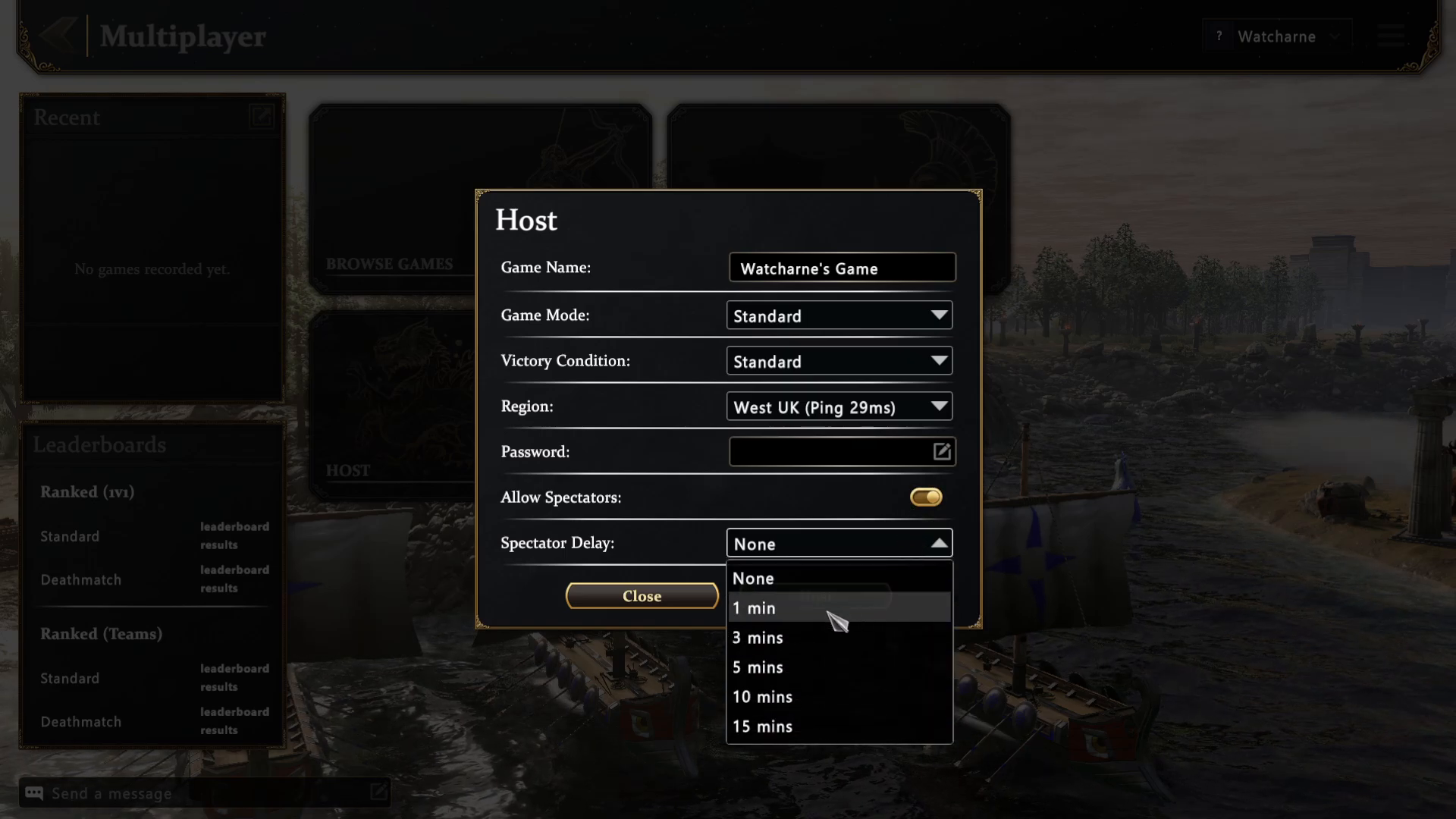
Spectator Settings
When hosting a game, you can control spectator access and add spectator delays to your match.
You have the option to allow or disallow spectators from joining your game. If you do allow spectators, you can also add a delay to their view. This delay feature is important for competitive play, as it prevents spectators (who might be friends of your opponent) from relaying real-time information about your strategy or movements during the match.
Browsing and Joining Existing Games
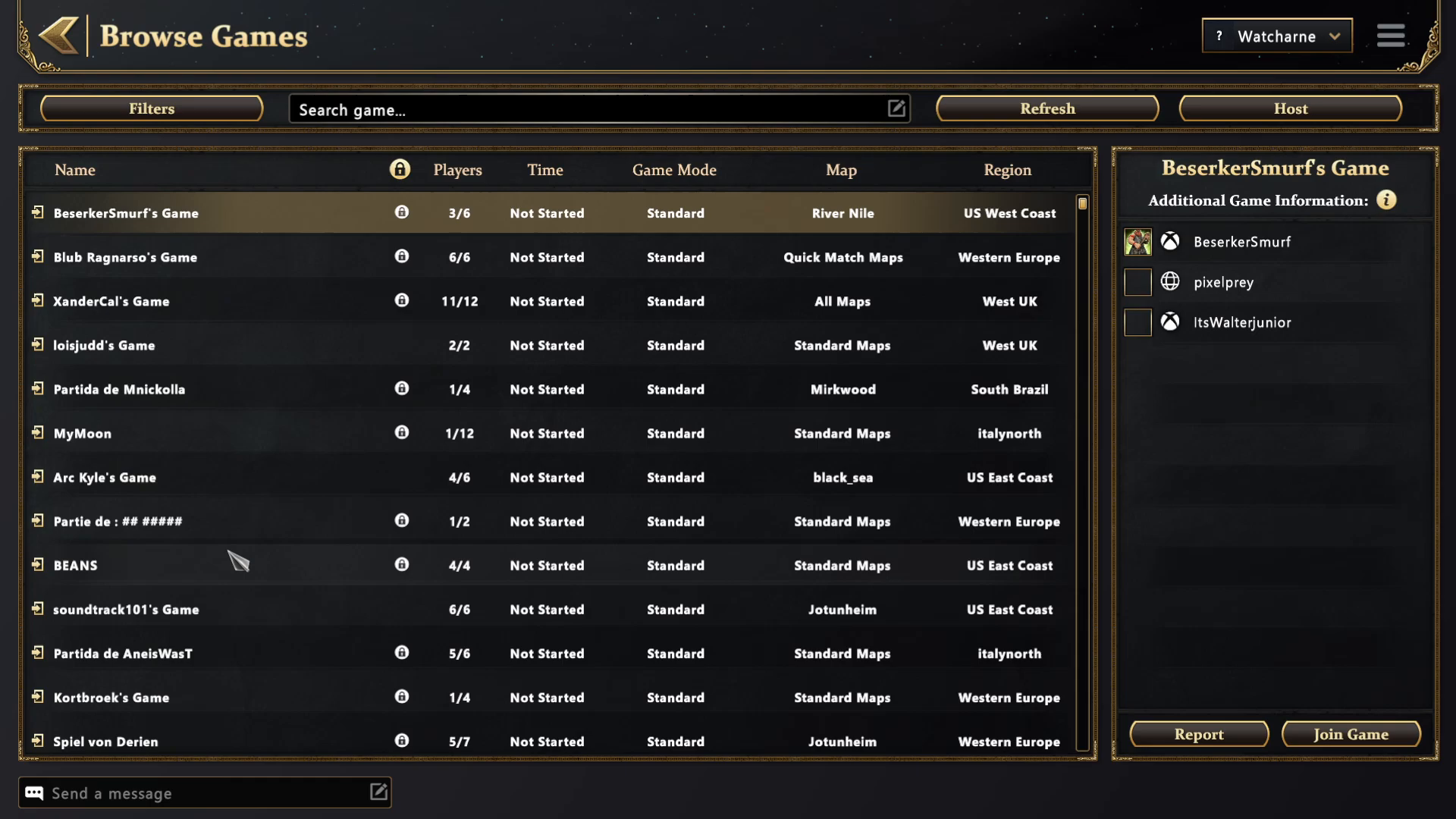
If you’d rather join someone else’s game instead of hosting, use the Browse Games option to see all available multiplayer lobbies.
The Browse Games menu displays a list of all public games currently available, showing you:
Number of players in each game
The host’s name (whose game it is)
The game’s name
The game mode being played
The map selected
The region (Italy, Brazil, UK, etc.)
Filtering Games
To help you find the perfect match, you can apply filters to narrow down your search. Available filter options include:
Player Count: Select how many players you want in the game
Game Mode: Filter by the type of game mode you’re looking for
Map: Search for games on a specific map
Region: Choose games in your preferred region (for example, only UK servers for lower ping)
Lobby Type: Filter between private and public lobbies
Observable Status: Choose whether you can join observable games or not
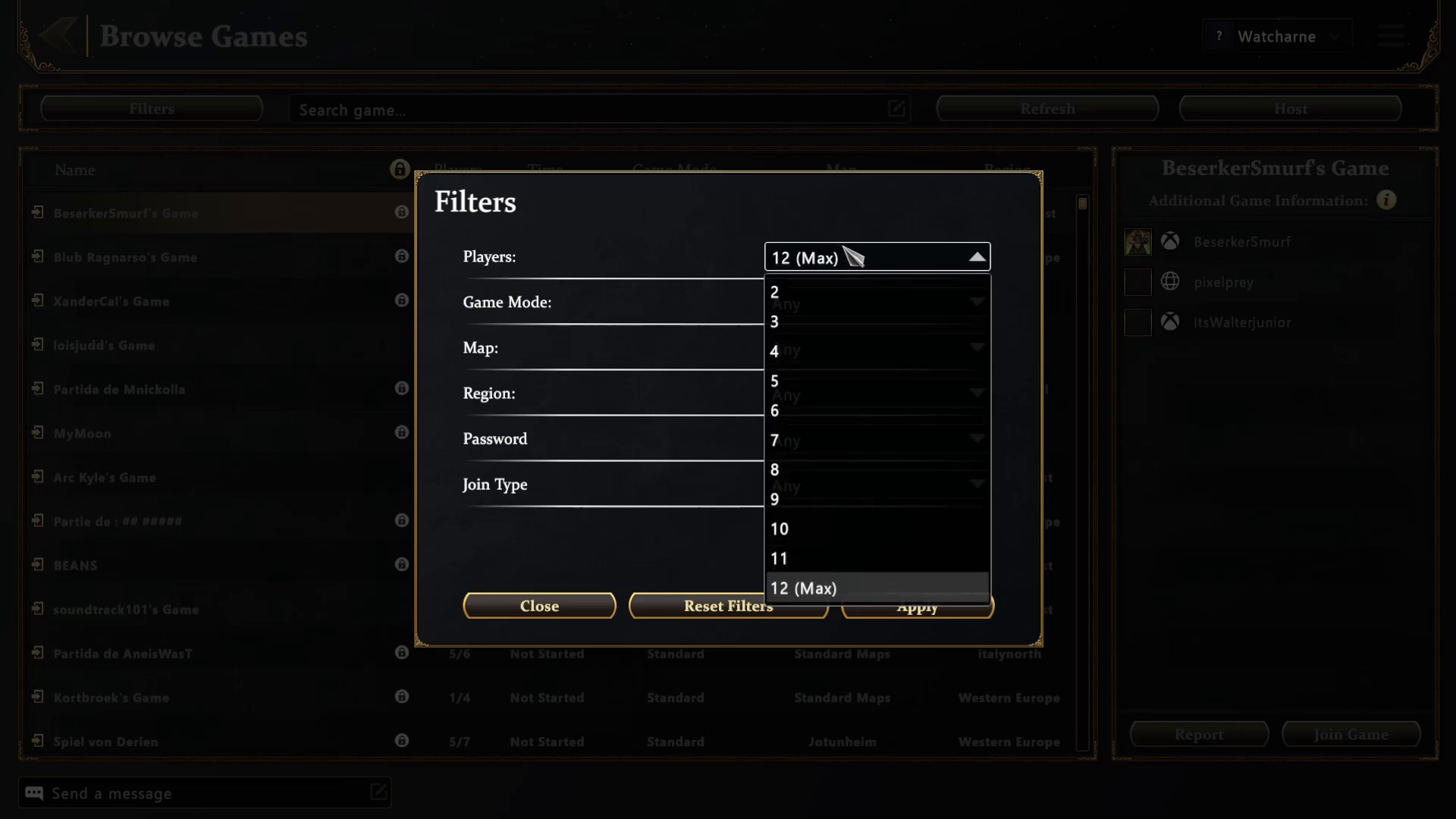
You can also search for specific games using the search bar at the top of the Browse Games menu. Any games matching your criteria can be selected and joined directly.
Ranked Multiplayer
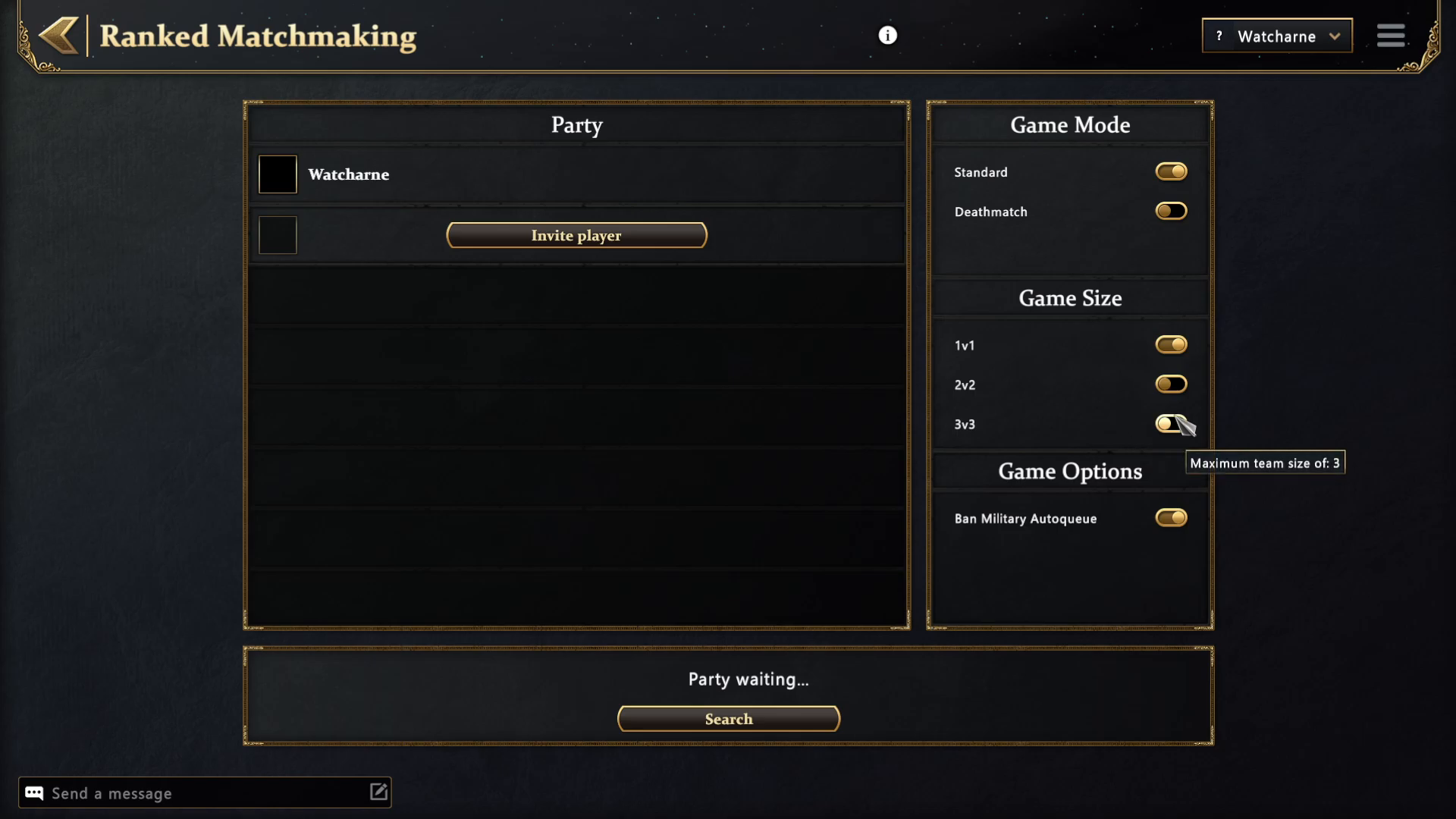
For more competitive play, Age of Mythology Retold offers ranked matchmaking. In ranked games, you can invite players to your party and compete in organized matches.
Ranked multiplayer supports the following match types:
1v1: One-on-one competitive matches
2v2: Two-versus-two team matches
3v3: Three-versus-three team matches
Ranked matches can be played in Standard or Death Match modes. Additionally, you have the option to ban Military or Tokyo civs if you wish to restrict certain civilizations from being played.
Summary
Age of Mythology Retold makes it easy to enjoy multiplayer gaming in whatever format you prefer. Whether you’re jumping into a Quick Match for instant action, hosting a custom game with your own rules, browsing and joining existing games, or competing in ranked matches, all the tools you need are readily accessible from the main menu. Use filters to find games that match your preferences, customize spectator settings to protect your strategy, and choose the game mode that best suits your playstyle.
Want to Support?
If you would like to help us continue making these guides – please consider joining our patreon here – https://www.patreon.com/c/JaviHeals
Alternatively – you can join our discord here – https://discord.gg/zD7Gjt6MHF