How To Play Multiplayer With Your Friends in Civ 6
How To Play Multiplayer With Your Friends in Civ 6
Playing multiplayer in Civilization 6 is a great way to enjoy the game with friends. Whether you want to compete against each other or collaborate on a shared world, this guide will walk you through the entire process of setting up and joining a multiplayer game on the internet or local network.
Accessing the Multiplayer Menu
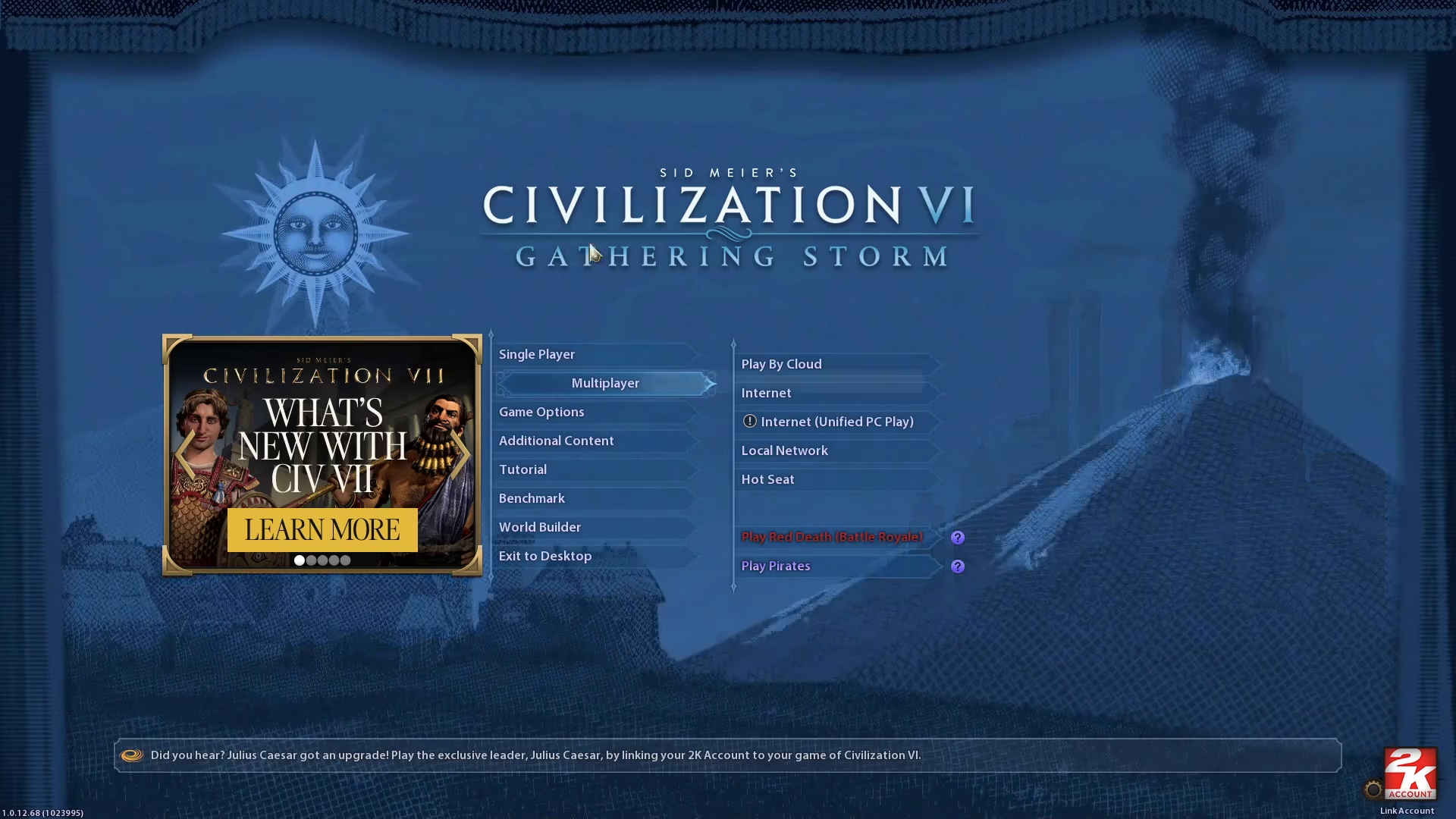
To get started, launch Civilization 6 and navigate to the main menu. From here, click on Multiplayer to access the multiplayer options.
Choosing Your Connection Type
Once you’re in the multiplayer menu, you’ll need to select how you want to connect with your friends:
Internet — Choose this option to play with friends over the internet from anywhere in the world.
Local Network — Choose this option if you’re playing on the same local network (LAN).
Hosting a Game
If you’re the one hosting the game, follow these steps:
Creating the Game
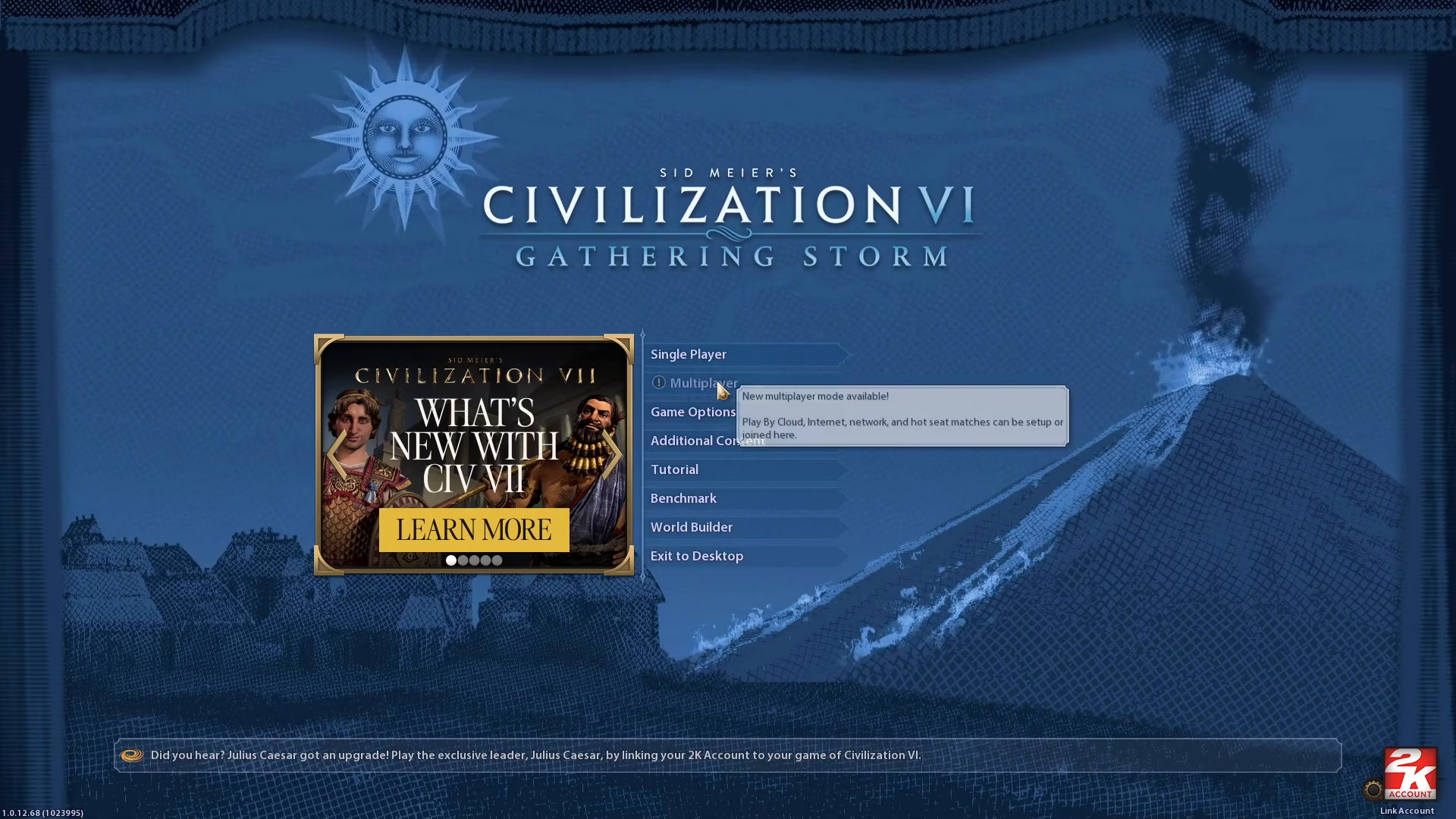
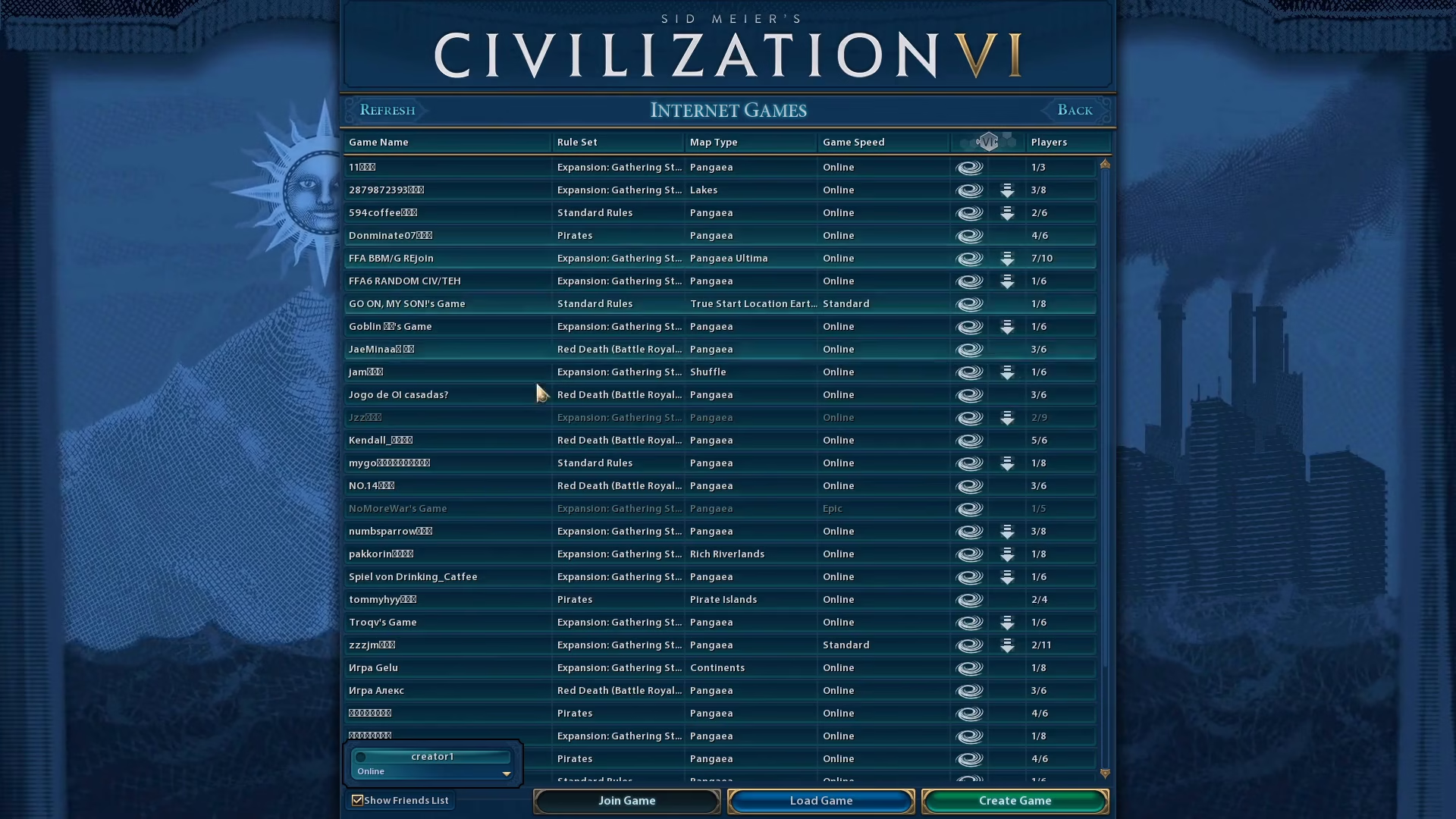
Click on the Create Game button located in the bottom right corner of the screen.
Configuring Game Settings
After clicking Create Game, you’ll be able to configure the settings for your multiplayer session. Adjust any settings to your preference, such as game speed, map size, difficulty level, and other gameplay options.
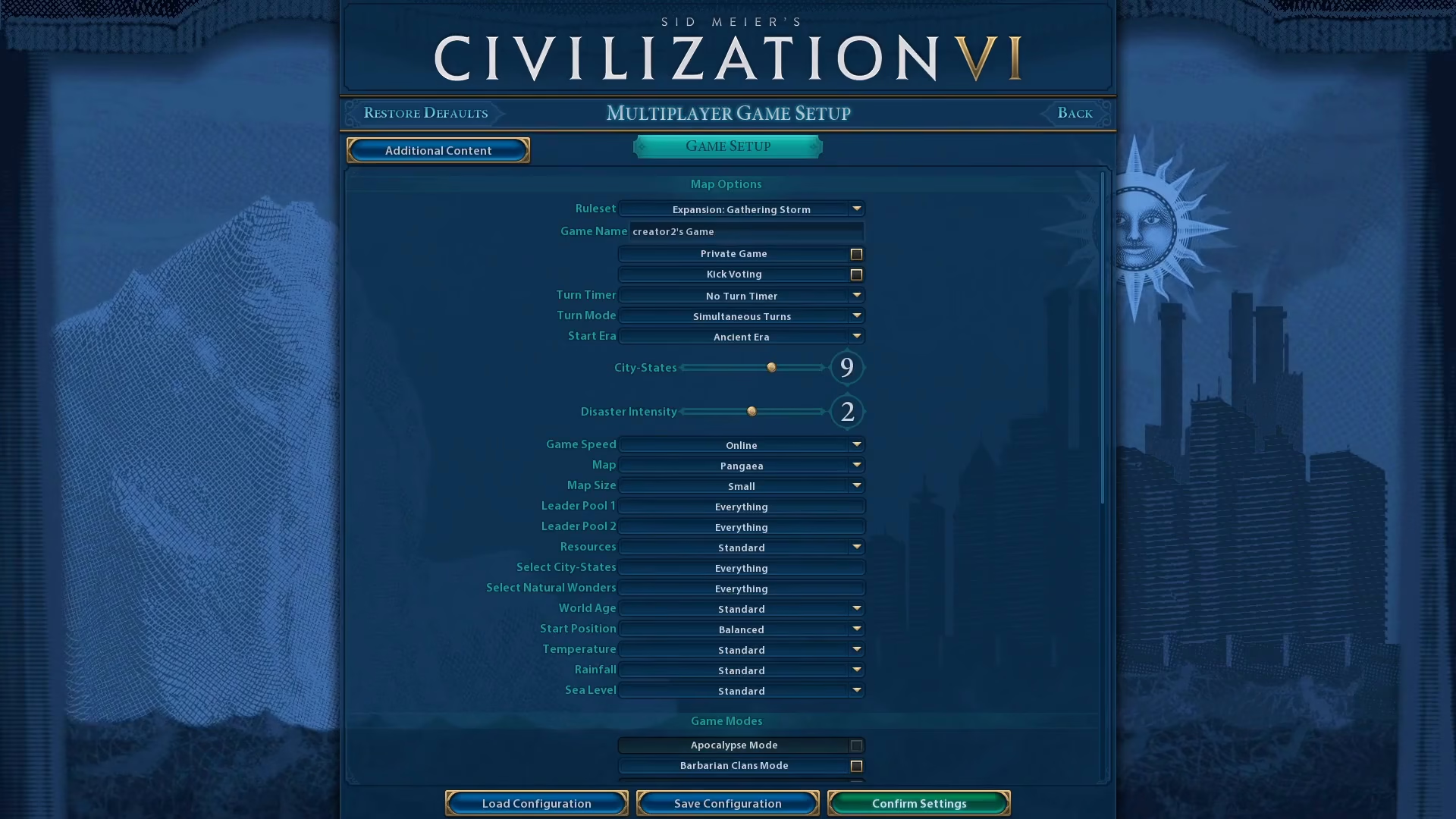
Once you’re satisfied with your configuration, click on Confirm Settings to proceed.
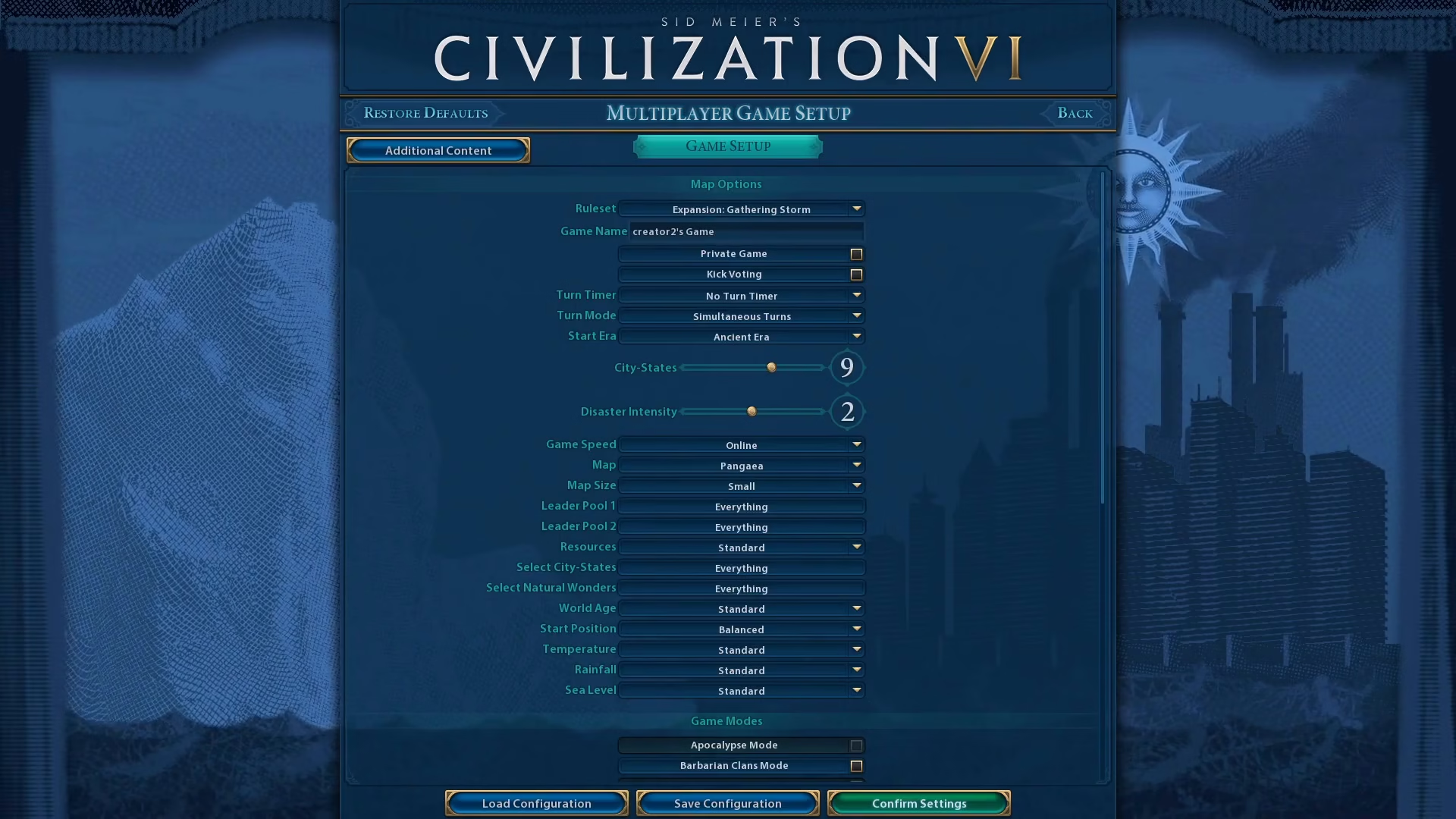
Inviting Friends to Your Lobby
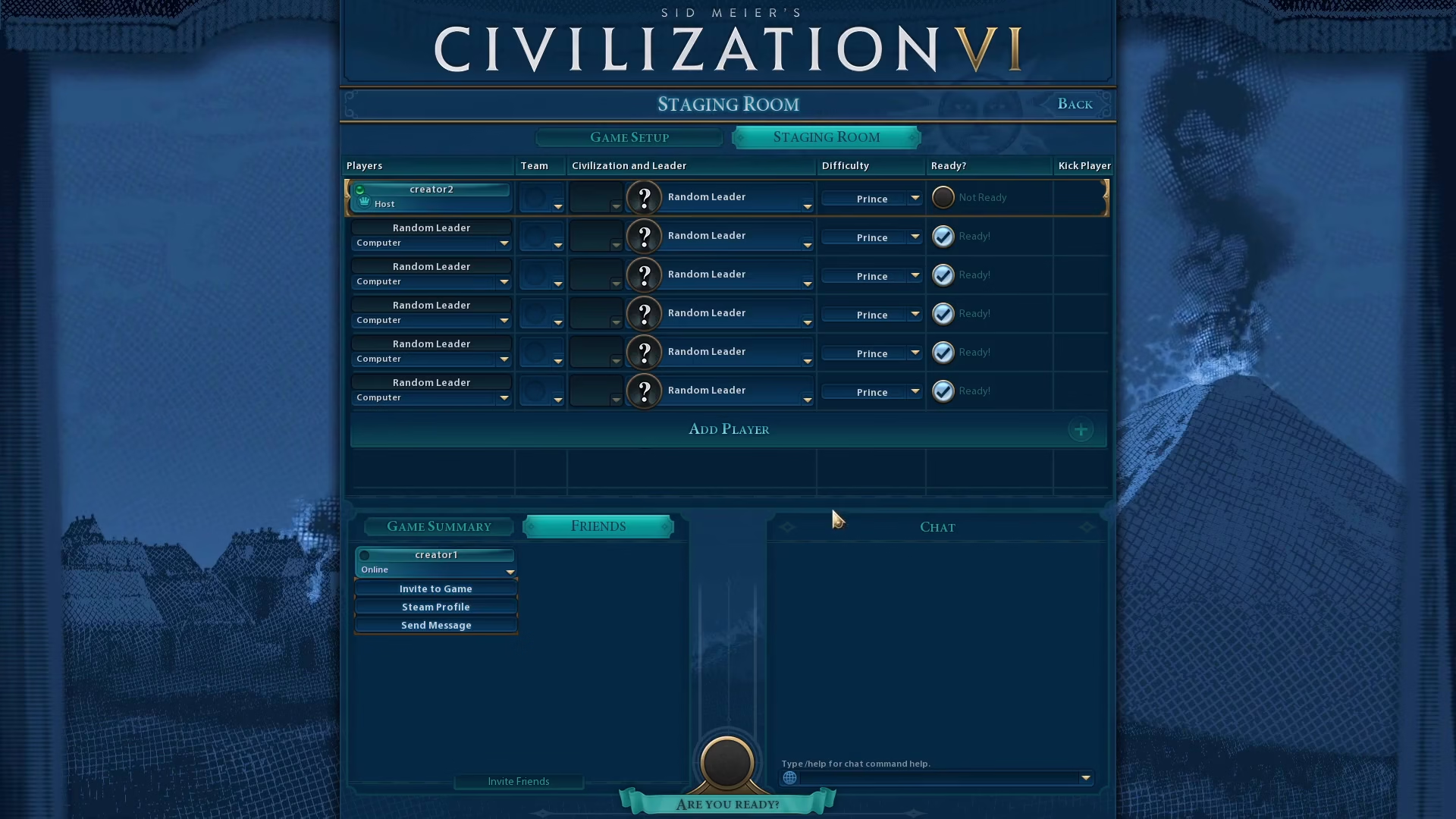
After confirming your settings, you’ll enter the lobby. Now you can invite your friends to join. Click on the Friends button located in the bottom left corner of the lobby screen.
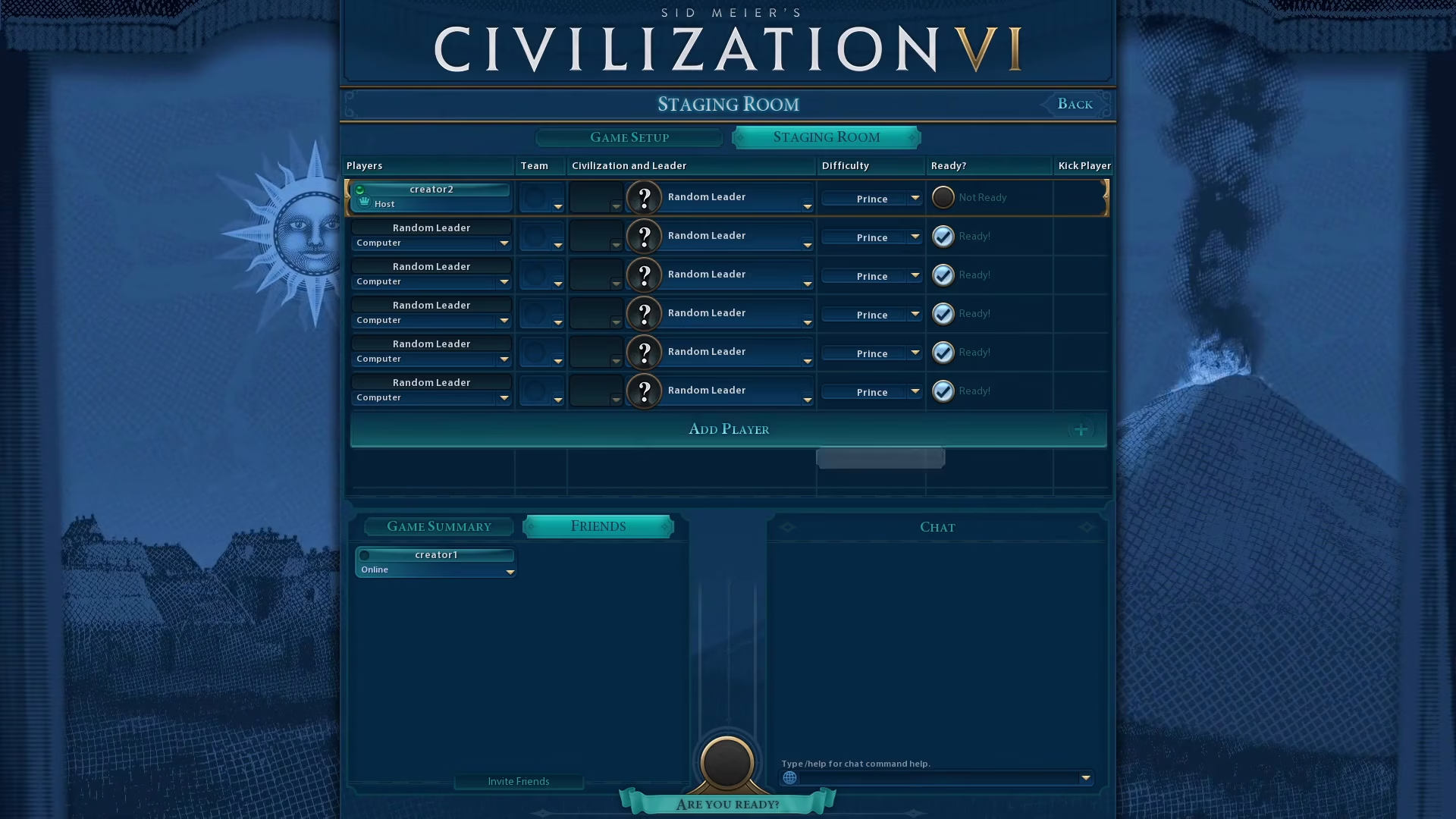
Find your friends in the list and click on one of them to send an invite to your game.
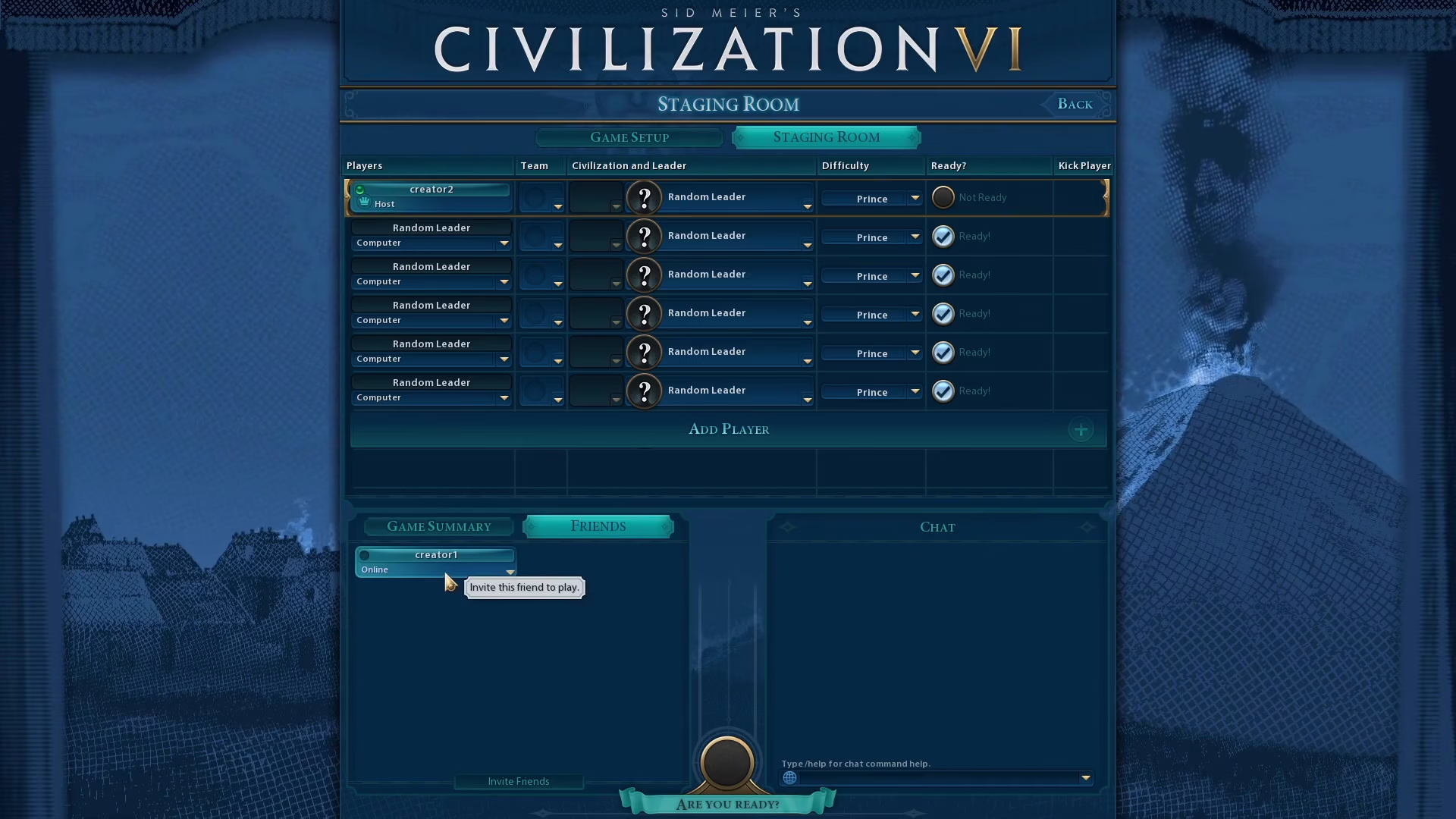
Starting the Game
Once everyone has joined and is present in the lobby, click the Ready button at the bottom of the screen. Once all players are ready, the game will start.
Joining a Game
If you’re joining a friend’s game instead of hosting, you have two options:
Accept an Invite
Wait for the host to send you a direct invite to their game and accept it when it arrives.
Find and Join a Lobby
Alternatively, you can browse available lobbies yourself. In the multiplayer menu, look at the internet games list, find the lobby you want to join, click on it, and then click Join Game.
Summary
Playing multiplayer in Civilization 6 is straightforward once you know the steps. Whether you’re hosting and inviting friends or joining an existing lobby, you’ll be gaming together in no time. The process works the same whether you’re connecting over the internet or on a local network. Now that you know how to set up multiplayer, gather your friends and prepare for an epic game of Civilization 6!
Want to Support?
If you would like to help us continue making these guides – please consider joining our patreon here – https://www.patreon.com/c/JaviHeals
Alternatively – you can join our discord here – https://discord.gg/zD7Gjt6MHF